
Table of Contents
Imagine a customer visits your online store, checks a few products, adds something to their cart, and then leaves without placing an order.
Or perhaps someone purchased from your store a few months ago but hasn’t returned since.
How do you bring these customers back without depending entirely on paid advertisements?
This is where WhatsApp marketing messages can make a real difference.
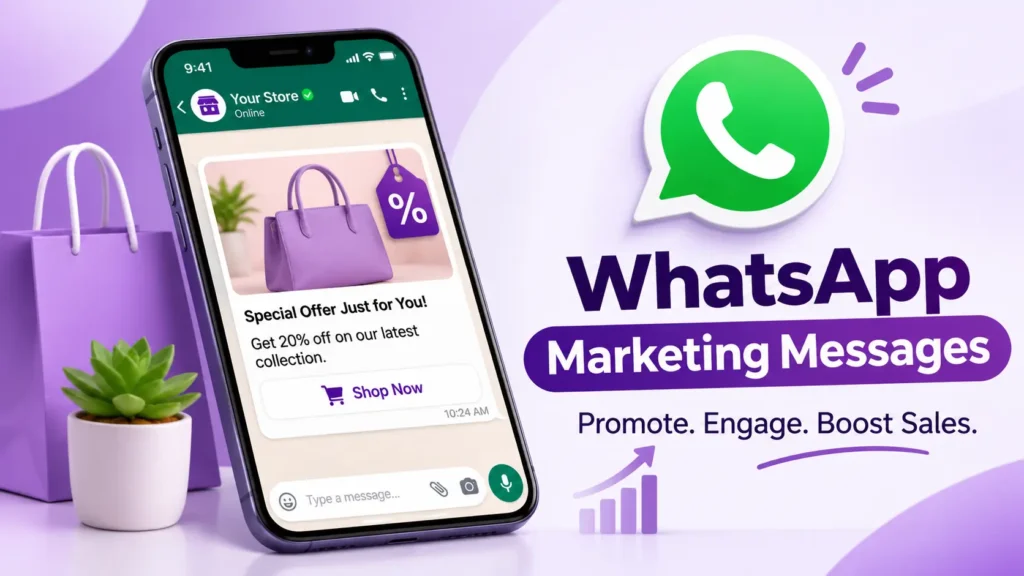
Unlike traditional promotional emails that often get buried in crowded inboxes, WhatsApp gives businesses a direct way to communicate with customers through conversations. Whether you’re announcing a new collection, sharing a discount, promoting a seasonal sale, or recommending products, a well-written WhatsApp message can encourage customers to take action.
For Shopify and other eCommerce businesses, WhatsApp marketing is also an opportunity to build stronger customer relationships while making the shopping experience more convenient.
In this guide, we’ll explain what WhatsApp marketing messages are, how to send them, share practical examples, and discuss how automation can help businesses manage their marketing campaigns more effectively.
What Are WhatsApp Marketing Messages?
WhatsApp marketing messages are promotional or business-related messages that companies send to customers through WhatsApp to introduce products, announce offers, share updates, and encourage purchases.
Businesses can use these messages to communicate with customers who have agreed to receive relevant communications from them.
For example, an online clothing store might send a message about its new winter collection, while a beauty brand could share a limited-time discount on its bestselling skincare products.
Here are some common purposes of WhatsApp marketing messages:
- Promoting new products and collections.
- Announcing seasonal sales and special discounts.
- Sharing exclusive coupon codes.
- Sending back-in-stock notifications.
- Recommending products based on customer interests.
- Inviting customers to explore new arrivals.
- Re-engaging previous customers.
- Promoting special events and product launches.
The biggest advantage is that customers can respond directly to your business instead of navigating through multiple communication channels.
For online stores, this creates an opportunity to turn a simple promotional message into an actual shopping conversation.
Why Are WhatsApp Marketing Messages Important for Businesses?
Customers receive promotional emails, social media advertisements, and notifications throughout the day. Getting their attention has become increasingly difficult.
WhatsApp offers another way to reach customers, provided your messages are relevant, expected, and sent in accordance with its business policies.
Let’s look at why businesses are incorporating WhatsApp into their marketing strategies.
1. Direct Communication With Customers
WhatsApp allows businesses to communicate directly with customers through a familiar messaging platform.
Instead of asking customers to search for information on your website, you can share product details, promotional offers, and useful links directly in their conversations.
For example, a fashion store can notify interested customers when a new collection becomes available.
2. Personalized Shopping Experiences
Customers are more likely to engage with messages that match their interests.
Instead of sending the same promotion to everyone, businesses can organize their audiences based on purchase history, product preferences, and previous interactions.
For example:
A customer who regularly purchases skincare products could receive updates about a new skincare range rather than promotions for unrelated products.
This makes your WhatsApp marketing messages more relevant and useful.
3. More Opportunities to Recover Lost Sales
Not every customer completes a purchase during their first visit.
Some shoppers leave because they are comparing prices, waiting for payday, or simply get distracted.
A timely abandoned checkout reminder can give them another opportunity to complete their purchase.
For Shopify merchants, WhatsApp automation can help send these reminders without manually contacting every customer.
4. Better Customer Engagement
WhatsApp supports conversational communication. Customers can ask questions, request product information, and respond to promotional campaigns directly.
Businesses can also use interactive buttons, images, product information, and website links where supported by their messaging setup.
This makes communication more engaging than sending a basic promotional announcement.
5. Marketing Automation Saves Time
Imagine managing a store that receives hundreds of orders and customer inquiries every day.
Manually sending promotional messages, following up with customers, and sharing product updates can quickly become difficult.
With WhatsApp automation, businesses can organize campaigns, use approved message templates, and automate suitable customer communication.
This allows marketing teams to spend more time planning campaigns and improving customer experiences.
Types of WhatsApp Marketing Messages
Before learning how to send WhatsApp marketing messages, it’s useful to understand the different types of campaigns businesses can run.
1. Promotional Offers and Discounts
Promotional messages are used to inform customers about special discounts, coupon codes, seasonal offers, and limited-time deals.
For example, an online store can announce an 11.11 sale or offer returning customers an exclusive discount.
These messages work best when the offer is clear and the customer knows exactly what to do next.
2. New Product Announcements
Have you launched a new product or collection?
WhatsApp can help you introduce it to customers who are interested in your products.
You can include a product image, a short description, and a link to the product page.
For example, a clothing brand can share its latest summer collection with customers who previously purchased similar products.
3. Back-in-Stock Notifications
Customers sometimes visit a product page only to discover that their preferred size, color, or product is unavailable.
A back-in-stock message gives interested customers an opportunity to return when the item becomes available again.
This is particularly useful for fashion, beauty, electronics, and lifestyle stores.
4. Abandoned Checkout Recovery Messages
Abandoned checkout messages remind customers about products they left behind before completing their purchases.
A simple message can include the product name, checkout link, and a helpful reminder.
For example:
“Hi Sarah! You left something behind. Your selected items are still waiting for you. Complete your purchase here: [Checkout Link]”
Businesses should make sure the message is sent in an appropriate category and follows WhatsApp’s messaging requirements.
5. Seasonal and Event-Based Campaigns
Seasonal promotions give businesses an opportunity to connect with customers around specific shopping occasions.
Popular campaign ideas include:
- Black Friday and Cyber Monday.
- 11.11 shopping sales.
- Christmas and New Year offers.
- Eid promotions.
- Valentine’s Day discounts.
- Summer and winter collections.
- Anniversary sales.
For eCommerce businesses, planning these campaigns in advance makes it easier to prepare promotional content and approved WhatsApp message templates.
6. Product Recommendations
Product recommendation messages help businesses introduce items that customers might find interesting.
For example, a customer who recently purchased a mobile phone might be interested in compatible accessories.
Similarly, someone who purchased a dress might be interested in matching shoes or accessories.
The important thing is to make recommendations based on genuine customer interests rather than sending unrelated promotions.
How to Send WhatsApp Marketing Messages
If you’re wondering how to send marketing messages on WhatsApp, there are different approaches depending on your business size, messaging requirements, and level of automation.
For occasional communication, the WhatsApp Business app may be sufficient. However, businesses managing larger customer lists or running regular marketing campaigns may benefit from the official WhatsApp Business Platform.
Here is how to get started.
Step 1: Set Up Your WhatsApp Business Account
Start by creating a WhatsApp Business presence for your company.
Complete your business profile with:
- Business name.
- Logo or profile picture.
- Business description.
- Website.
- Contact details.
- Business category.
A complete profile helps customers recognize your business and understand who is contacting them.
Step 2: Choose the Right WhatsApp Messaging Solution
There are two common options.
WhatsApp Business App
The WhatsApp Business app is suitable for smaller businesses that need basic customer communication, product catalogs, and business messaging features.
Depending on account eligibility and available features, it may also support broadcast-style marketing.
WhatsApp Business Platform (API)
The WhatsApp Business Platform is designed for businesses that need more advanced messaging capabilities.
It supports approved message templates, integrations, automation, and larger-scale communication workflows through a direct API integration or an authorized solution provider.
For Shopify merchants, an API-based integration can connect WhatsApp communication with store activities and customer information.
Step 3: Collect Customer Permission
Before sending marketing communications, make sure customers have been properly informed and have given the necessary permission.
For example, you can provide a clear marketing subscription option on your website.
Your opt-in process should:
- Clearly identify your business.
- Explain what type of messages customers can expect.
- Obtain permission in accordance with applicable laws and WhatsApp policies.
- Respect requests to stop receiving messages.
Don’t assume that having someone’s phone number automatically gives you permission to send promotional messages.
Also, provide a simple way for customers to opt out.
Step 4: Create Your WhatsApp Marketing Message
Now comes the interesting part: writing the actual message.
A good marketing message should be short, conversational, and focused on one clear action.
Include:
- A friendly greeting.
- The reason you’re contacting the customer.
- Your offer or product information.
- A clear call to action.
- Your business identity.
For example:
“Hi {{1}}! Our new collection is finally here. Explore the latest styles and find something you love. Shop now: {{2}}”
Avoid writing long paragraphs or including multiple unrelated offers in one message.
Step 5: Create and Submit an Approved Message Template
If you’re using the WhatsApp Business Platform to initiate a marketing conversation, you’ll generally need an approved marketing message template.
You can create and manage templates through WhatsApp Manager or your messaging solution provider.
A marketing template may include:
- Text.
- Image or video headers.
- Dynamic customer details.
- Promotional coupon codes.
- Website links.
- Interactive call-to-action buttons.
Meta reviews templates and assigns the appropriate category. Make sure your template accurately reflects its intended purpose.
A promotional message should not be disguised as a utility notification.
Step 6: Select Your Audience
Sending the same message to every customer isn’t always a good marketing strategy.
Instead, organize your audience into relevant groups.
For example:
- Previous customers.
- Customers interested in a particular collection.
- Customers who purchased during the last sale.
- Customers interested in new product launches.
- Customers who subscribed to receive promotional updates.
Segmentation helps businesses send more relevant messages and avoid unnecessary communication.
Step 7: Schedule or Send Your Campaign
Once your template is approved and your audience is ready, you can launch your campaign using your selected WhatsApp messaging solution.
Before sending, check:
- Message content.
- Template approval status.
- Customer permissions.
- Audience selection.
- Website and product links.
- Promotional offer validity.
Start with a relevant audience rather than immediately sending a large campaign.
Step 8: Track Campaign Performance
Sending a campaign is only half the work.
You also need to understand how customers respond.
Track available campaign metrics such as:
- Messages sent.
- Delivery rate.
- Read rate, where available.
- Link clicks.
- Customer replies.
- Orders and revenue attributed to campaigns.
Use these results to improve your next campaign.
WhatsApp Marketing Messages Examples You Can Use
Sometimes writing a promotional message is harder than setting up the campaign itself.
You want something that sounds natural, gets attention, and encourages customers to take action without looking like spam.
Here are practical WhatsApp marketing messages examples for different business situations.
1. New Product Launch Message
Example:
“Hey {{1}}! Something exciting has arrived.
Meet our latest collection, designed to bring something fresh to your everyday style.
Explore the new arrivals here: {{2}}”
Best for: Fashion brands, beauty stores, electronics, and lifestyle businesses.
2. Discount and Promotional Offer
Example:
“Good news, {{1}}! Your favorite products are now available at special prices.
Enjoy {{2}} off your next purchase for a limited time.
Don’t miss out! Shop here: {{3}}”
Best for: Seasonal campaigns, special discounts, and promotional events.
3. Abandoned Checkout Reminder
Example:
“Hi {{1}}! Still thinking about your purchase?
Your selected items are waiting for you. You can continue where you left off using the link below.
Complete your order: {{2}}”
Best for: Shopify and WooCommerce stores.
4. Back-in-Stock Notification
Example:
“Great news, {{1}}! The product you were interested in is back in stock.
You can now order it before it sells out again.
Check it out here: {{2}}”
Best for: Stores selling products with limited inventory.
5. Exclusive Customer Offer
Example:
“Hi {{1}}! We have something special for our returning customers.
Enjoy an exclusive offer on your next order with code {{2}}.
Discover your favorites: {{3}}”
Best for: Customer retention and repeat purchases.
6. 11.11 Sale Announcement
Example:
“11.11 is here!
Get ready for exciting deals on your favorite products.
Explore our special sale and grab your favorites before the offers end.
Shop now: {{1}}”
Best for: eCommerce stores running major shopping campaigns.
7. Festival Sale Message
Example:
“Celebrate the season with something special!
Our festive collection is now available. Explore your favorites and enjoy our limited-time offers.
Discover the collection: {{1}}”
Best for: Eid, Christmas, New Year, and other seasonal campaigns.
8. Customer Re-Engagement Message
Example:
“Hey {{1}}! It’s been a while since your last visit.
We’ve added some exciting new products that we think you’ll love.
Take a look at what’s new: {{2}}”
Best for: Re-engaging previous customers who have agreed to receive promotional messages.
A useful tip: Personalize these examples with relevant product information and customer details. Always use approved templates where required, and don’t send promotional messages to people who haven’t agreed to receive them.
Meta WhatsApp Marketing Messages: What Businesses Should Know
When researching Meta WhatsApp marketing messages, it’s important to understand that promotional communication through WhatsApp is governed by Meta’s business messaging policies.
The WhatsApp Business Platform uses message templates for business-initiated conversations outside the customer service window.
Marketing templates are generally used for:
- Promotional discounts.
- Product announcements.
- Special offers.
- New collection launches.
- Invitations and recommendations.
- Customer re-engagement.
Marketing vs. Utility Messages
These categories serve different purposes.
Marketing messages: Used to promote products, services, offers, or encourage customers to make a purchase.
Utility messages: Used to provide updates related to a specific customer transaction or request, such as an order or delivery update.
For example:
“Your order has been shipped” is generally a utility-type communication.
“Your next purchase comes with 20% off” is a marketing communication.
If a message combines transactional information with promotional content, Meta may classify it as marketing.
Important WhatsApp Messaging Rules
Before launching campaigns, keep these points in mind:
- Obtain appropriate customer permission before sending communications.
- Use approved templates when initiating conversations outside the 24-hour customer service window.
- Send messages that match the approved template category.
- Respect customer opt-out requests.
- Avoid misleading promotions and excessive messaging.
- Monitor template quality and customer feedback.
WhatsApp can restrict businesses that repeatedly violate its policies.
You can review the official WhatsApp Business Messaging Policy before launching your campaigns.
How WhatsApp Automation Makes Marketing Easier
Sending individual promotional messages might work when you have a small customer base.
But what happens when your store receives hundreds of orders, customer inquiries, and marketing subscriptions?
Managing everything manually becomes difficult.
This is where WhatsApp automation can help.
Instead of handling every interaction yourself, businesses can use automation tools to manage repetitive communication and connect WhatsApp with their eCommerce operations.
Here are some practical ways automation can support your marketing strategy.
1. Automated Promotional Campaigns
Businesses can prepare marketing templates, organize their subscribed audience, and launch campaigns through an official WhatsApp integration.
For example, a Shopify store can prepare a new collection announcement and send it to customers who have agreed to receive promotional updates.
2. Abandoned Checkout Follow-Ups
WhatsApp automation can help businesses remind shoppers about incomplete checkouts.
Depending on the integration, the system can use available checkout information to personalize reminders and include a link that takes customers back to their checkout.
This reduces the need for manual follow-ups.
3. AI-Powered Customer Conversations
A promotional message can generate questions.
Customers might ask:
- Is this product available in another size?
- What is the delivery time?
- Do you have this item in another color?
- Can I get more product details?
An AI-powered WhatsApp chatbot can help answer common product and store-related questions automatically, based on its available training data and integrations.
This makes it easier for customers to explore products without waiting for a support representative.
4. Product Discovery Through WhatsApp
Customers don’t always know exactly what they want.
They might describe a product, ask for recommendations, or share their budget.
An AI sales assistant can help customers discover relevant products through a conversational shopping experience.
For example, a customer could ask for a formal outfit under a particular budget and receive suitable product suggestions.
5. Better Management of Customer Communication
Marketing is only one part of the customer journey.
Customers also need order updates, delivery information, product assistance, and after-sales support.
Connecting these activities through an official WhatsApp integration can help businesses manage their communication more efficiently.
How Haleria Helps Shopify Stores With WhatsApp Automation
For Shopify merchants, managing marketing, sales, and customer support through separate tools can create unnecessary work.
Haleria AI Sales & Support helps Shopify stores manage customer conversations through the official WhatsApp Business Platform and AI-powered webchat.
Instead of treating WhatsApp as just another promotional channel, businesses can use it as part of their overall shopping experience.
With Haleria, Shopify merchants can:
- Send WhatsApp marketing campaigns using approved templates.
- Share promotional messages with their selected customer audience.
- Automate abandoned checkout reminders.
- Answer common customer questions using AI.
- Help shoppers discover relevant products.
- Automate order confirmation through WhatsApp.
- Manage customer support conversations.
- Connect WhatsApp communication with Shopify store activities.
For example, imagine a customer receives a promotional message about your latest collection.
They click the link, visit your store, and have a question about a product.
With Haleria’s AI-powered sales assistant, your store can provide automated product assistance and help the customer move closer to a purchase.
That’s the real opportunity: connecting marketing with the shopping experience.
If you’re running a Shopify store and want to simplify customer communication, explore Haleria AI Sales & Support.
Best Practices for Writing Effective WhatsApp Marketing Messages
Sending messages regularly doesn’t automatically mean you’ll generate more sales.
The quality and relevance of your communication matter.
Here are some practical tips to improve your WhatsApp marketing strategy.
Keep Your Messages Short
Customers don’t need to read an entire advertisement inside WhatsApp.
Focus on the most important information and make your message easy to understand.
Use a Clear Call to Action
Tell customers what you want them to do.
Examples include:
- Shop Now.
- Explore Collection.
- Discover New Arrivals.
- Get Your Discount.
- View Products.
A clear CTA makes the next step easier.
Personalize Your Communication
Use customer names, relevant product details, and appropriate offers wherever possible.
However, personalization should be based on information you are permitted to use.
Don’t Overload Customers
Sending too many promotional messages can frustrate customers.
Plan a reasonable campaign schedule and prioritize useful updates instead of sending messages just to stay visible.
Use High-Quality Product Images
A relevant product image can make your campaign more appealing.
Choose clear images that represent the actual product and support the message you’re sending.
Test Different Campaign Approaches
Try different message openings, offers, images, and calls to action.
Compare the available campaign metrics and identify what works best for your audience.
Respect Customer Preferences
Always respect opt-out requests and applicable WhatsApp messaging rules.
A healthy customer relationship is more valuable than sending repeated messages to an uninterested audience.
Final Thoughts
WhatsApp marketing messages can help businesses introduce products, promote offers, reconnect with previous customers, and create more convenient shopping experiences.
But successful WhatsApp marketing isn’t about sending as many messages as possible.
It’s about sending the right message to the right customer at the right time.
Start with a clear strategy, build a relevant subscriber audience, write conversational messages, and use automation where it genuinely improves the customer experience.
For Shopify businesses, combining WhatsApp marketing with AI-powered sales and customer support can make the entire shopping journey easier to manage.
The goal isn’t just to send another promotional message. It’s to start a conversation that brings customers closer to your business.
Frequently Asked Questions (FAQs)
1. What are WhatsApp marketing messages?
WhatsApp marketing messages are promotional communications businesses send to customers through WhatsApp to share product announcements, discounts, special offers, new arrivals, and other relevant updates.
2. How to send WhatsApp marketing messages?
You can send WhatsApp marketing messages using the WhatsApp Business app or the official WhatsApp Business Platform. For API-based campaigns, businesses generally need approved marketing templates, an appropriate customer audience, and a compliant permission process.
3. How to send marketing messages on WhatsApp in bulk?
Businesses can use the WhatsApp Business Platform through an official integration or solution provider to organize audiences and send approved marketing template campaigns. Bulk messaging must follow Meta’s policies, customer permission requirements, and applicable messaging limits.
4. Are WhatsApp marketing messages free?
Not necessarily. Costs depend on the messaging solution, message type, recipient market, and applicable Meta pricing. Third-party platforms may also charge subscription or service fees. Check the current pricing before launching a campaign.
5. What are some good WhatsApp marketing messages examples?
Some effective examples include new product launch announcements, discount offers, seasonal sale promotions, back-in-stock notifications, and personalized product recommendations. The best message depends on your audience and campaign objective.
6. What are Meta WhatsApp marketing messages?
These are promotional messages sent through Meta’s WhatsApp Business products. Businesses using the WhatsApp Business Platform generally use approved marketing templates to initiate promotional conversations outside the customer service window.
7. Can I send WhatsApp marketing messages to customers who have not saved my number?
Saving your business number isn’t the same as giving permission to receive marketing messages. Businesses must follow applicable consent requirements and WhatsApp policies. Customers should know which business is contacting them and why.
8. Can Shopify stores automate WhatsApp marketing messages?
Yes. Shopify merchants can connect their stores to the WhatsApp Business Platform through compatible integrations. Depending on the solution, they can manage marketing campaigns, abandoned checkout reminders, order notifications, and AI-powered customer support.
9. What is the difference between WhatsApp marketing and WhatsApp automation?
WhatsApp marketing focuses on promoting products, services, and offers through customer communication. WhatsApp automation uses technology to manage repetitive messaging and customer interactions, including marketing workflows, support responses, and relevant store notifications.
10. Which is the best tool for WhatsApp marketing automation?
The right tool depends on your business requirements. Shopify merchants should look for an official WhatsApp Business Platform integration that supports approved templates, customer segmentation, campaign management, automation, and store connectivity. Haleria is one option for Shopify stores looking to combine WhatsApp automation with AI-powered sales and support.