
Table of Contents
Have you ever been busy handling an order, answering a customer’s question, or managing your daily work when another WhatsApp message popped up?
Now imagine receiving dozens or even hundreds of messages every day. Customers want to know your prices, ask whether a product is available, check their order status, or simply ask when you will reply. Keeping up with every conversation manually can quickly become overwhelming.
This is where WhatsApp Business automated messages can make a real difference.
With the right setup, your business can welcome customers, respond outside working hours, share order updates, and answer common questions without requiring someone to type every message manually. You can start with the built-in tools in WhatsApp Business or use more advanced automation for sales, customer support, and ecommerce operations.
In this guide, we will explain how WhatsApp automation works, how to set it up, which messages you should automate first, and how to use it without making customer conversations feel impersonal.
What Are WhatsApp Business Automated Messages?
WhatsApp Business automated messages are messages that a business sends automatically in response to certain situations, such as when a customer starts a conversation or contacts the business outside working hours.
For example, when a customer messages your clothing store at midnight, an automatic reply can let them know that your team will respond the following morning.
Similarly, an online store can use automation to confirm orders, share delivery updates, answer product questions, or follow up with customers when appropriate.
There are different levels of WhatsApp automation:
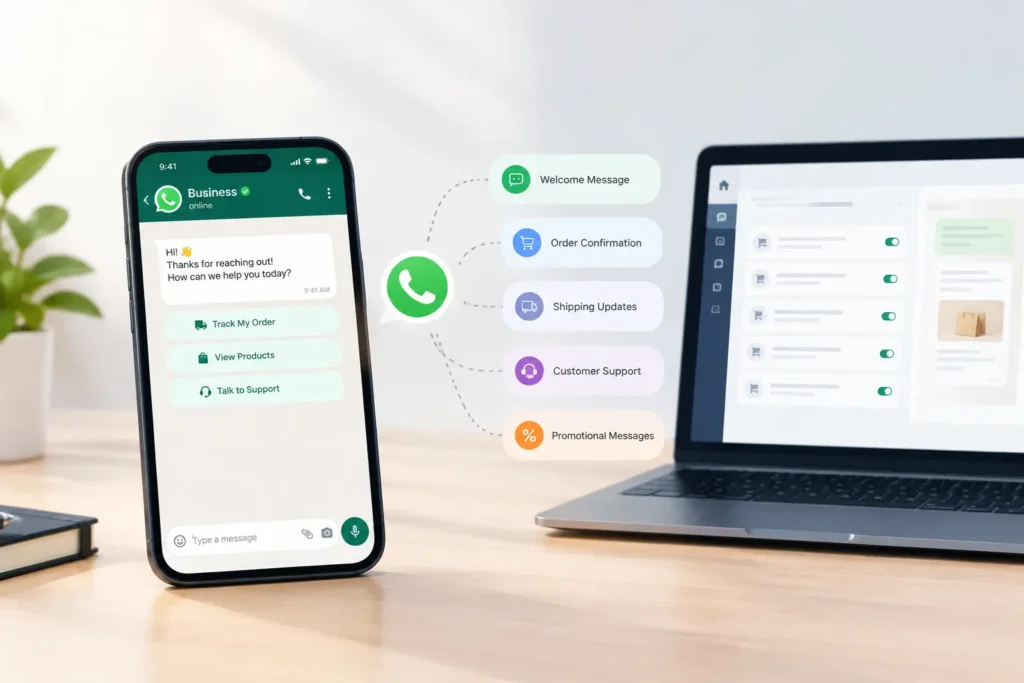
- Greeting messages: Welcome customers when they contact your business.
- Away messages: Inform customers when you are unavailable.
- Quick replies: Help you answer common questions using saved responses.
- Advanced automation: Trigger messages based on orders, customer actions, or predefined workflows.
WhatsApp Business includes built-in messaging tools for small businesses. More advanced workflows generally require the WhatsApp Business Platform (API) and a suitable integration or automation provider.
The right option depends on how many conversations you handle and what you want your business to automate.
Why Should Businesses Use WhatsApp Business Automated Messages?
Customers usually want quick, clear answers. When they have to wait too long, they may contact another business or lose interest in a product.
Automated messages help businesses manage these expectations while keeping communication organized.
1. Respond to Customers Faster
An automatic greeting acknowledges a customer’s message immediately, even if your team cannot respond personally at that moment.
For example:
“Hi! Thanks for contacting us. We have received your message and will get back to you shortly. In the meantime, let us know what you are looking for.”
This simple response tells customers that their message has been received.
2. Provide Support Outside Business Hours
You do not need to stay available around the clock to communicate professionally.
An away message can tell customers your working hours and when they can expect a response.
This is particularly useful for small businesses that do not have a dedicated customer support team.
3. Save Time on Repetitive Questions
If customers regularly ask about pricing, delivery charges, return policies, or product availability, you can prepare responses for these questions.
Basic quick replies make sending saved answers faster. With more advanced automation, a chatbot can help answer questions and guide customers toward relevant products or support.
4. Keep Customers Updated About Orders
For ecommerce businesses, messages about order confirmation, dispatch, and delivery can reduce uncertainty after checkout.
When connected to your store, an automation system can send relevant updates based on actual order events rather than requiring staff to contact every customer individually.
5. Support Sales and Customer Retention
Automated conversations can help customers discover products, ask questions before purchasing, and receive relevant follow-ups.
For example, a Shopify store might use automation to answer product questions, confirm cash-on-delivery orders, or remind eligible customers about an unfinished checkout.
The goal is not to send more messages. It is to send useful messages at the right time.
Types of WhatsApp Business Automated Messages
Before setting up automation, decide which messages your customers actually need.
Greeting Messages
Greeting messages welcome customers when they start a conversation with your business. They are useful for introducing your brand and guiding customers toward the next step.
Example:
“Hello! Welcome to ABC Store. Thanks for reaching out. Are you looking for a product recommendation, help with an existing order, or information about delivery?”
Away Messages
Away messages are sent when customers contact you while you are unavailable. Depending on your settings, you can use them all the time, outside business hours, or during a custom schedule.
Example:
“Thank you for messaging us! Our support team is currently offline. Our working hours are Monday to Saturday, 10 AM to 7 PM. We will respond as soon as we are back.”
Quick Replies for Frequently Asked Questions
Quick replies are saved messages that you can send using shortcuts. They are useful when you want to respond faster but still choose when and what to send.
Common examples include:
- Delivery information
- Return and exchange policies
- Store location and opening hours
- Payment methods
- Product pricing
- Frequently asked questions
Keep these replies accurate and update them whenever your policies change.
Order Confirmation Messages
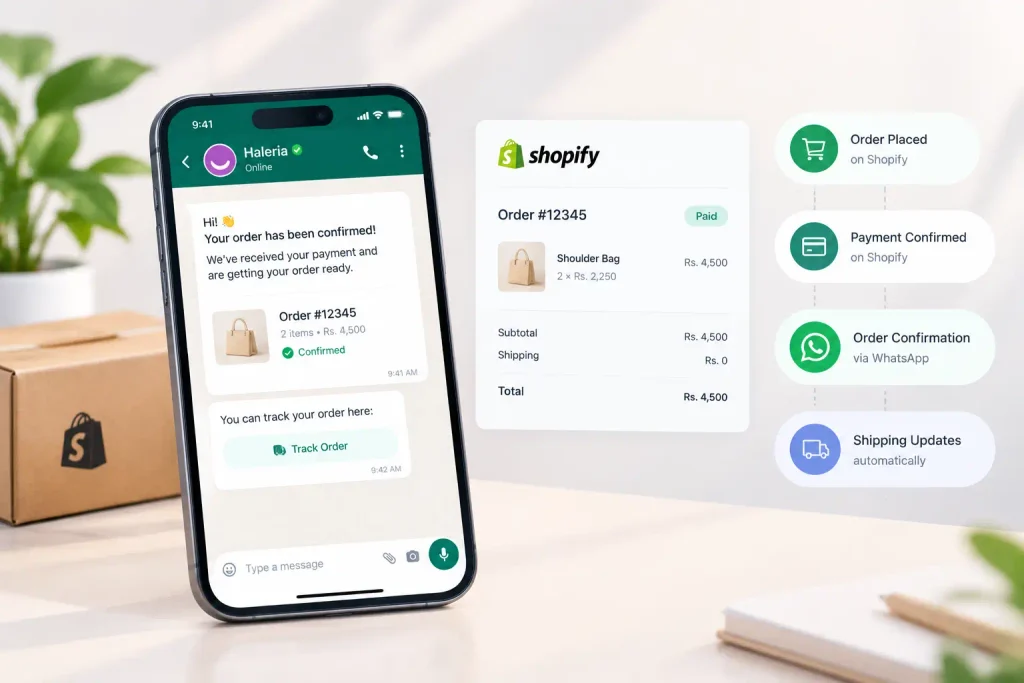
Online stores can automate order confirmation messages to reassure customers that their orders have been received.
Example:
“Hi {{1}}, thank you for placing your order with us! Your order number is {{2}}. We are reviewing your order and will share the next update soon.”
The placeholders above are illustrative. Your automation provider must support and correctly map them to the customer’s name and order number.
For cash-on-delivery stores, a connected workflow may also allow customers to confirm or cancel their orders through supported interactive buttons.
Delivery and Order Status Updates
Customers often contact support because they do not know what is happening with an order.
Automated updates can communicate that an order has been dispatched, is out for delivery, or has reached its destination, provided the relevant information is available from your store or shipping integration.
Example:
“Good news! Your order {{1}} has been dispatched. You can check the latest delivery information here: {{2}}.”
Only send status updates when the underlying order or shipping information supports them.
Abandoned Checkout Messages
Some shoppers add products to their carts but leave before completing the purchase.
An eligible, properly configured automation workflow can send a reminder to customers who have consented to receive the relevant messages.
Example:
“Hi {{1}}, you left some items in your shopping cart. Would you like to return and complete your order? You can continue here: {{2}}.”
Avoid sending repeated reminders or making customers feel pressured. Always follow WhatsApp’s current messaging policies and applicable consent requirements.
Promotional and Marketing Messages
Businesses can also use WhatsApp to share new product announcements, special offers, back-in-stock alerts, and seasonal promotions.
However, promotional automation needs particular care. Obtain the appropriate customer opt-in, follow applicable WhatsApp messaging rules, and respect opt-out requests. On the WhatsApp Business Platform, business-initiated messages generally require approved templates.
How to Setup WhatsApp Business Automated Messages
If you are new to automation, start with the built-in WhatsApp Business tools. You do not need a complex system just to send a greeting or an away message.
Step 1: Install and Set Up WhatsApp Business
Download the official WhatsApp Business app and complete your business profile.
Add the information customers need to trust your business, including:
- Business name and description
- Profile photo or logo
- Business hours
- Website and contact details
- Address, if relevant
A complete profile helps customers understand who they are messaging and what your business offers.
Step 2: Open the Business Tools
Open WhatsApp Business and navigate to the business tools or tools section. Menu names and placement may differ depending on your device and app version.
Look for options such as Greeting message, Away message, and Quick replies.
Step 3: Set Up Your Greeting Message
Open the Greeting message option and enable it.
Write a short welcome message, choose the relevant recipients, and save your settings.
A good greeting should:
- Thank the customer for contacting you.
- Explain what they can ask about.
- Give them a simple next step.
Avoid long introductions. Customers should understand your message within a few seconds.
Step 4: Configure Your Away Message
Open Away message, switch it on, and write your response.
Choose a schedule that matches your business operations. If you only want to send the message outside working hours, set your business hours and select the relevant scheduling option.
Before saving, check that the message includes a realistic response time.
Step 5: Create Quick Replies
Open Quick replies and add saved answers for your most common questions.
For example, create shortcuts such as:
/deliveryfor delivery information/returnsfor your return policy/hoursfor business hours/paymentfor accepted payment methods
When replying to a customer, use the relevant shortcut to insert the saved response. Review it before sending if the customer’s situation requires a personalized answer.
Step 6: Test Your Settings
Ask a colleague or use another account to send a message to your business number.
Check whether the greeting or away message appears as expected. Review the recipient settings, schedule, and internet connection if something does not work.
Remember that greeting messages and away messages do not automatically create a complete sales or order-management workflow.
Step 7: Add Advanced Automation When Needed
If your business needs automatic order confirmations, abandoned checkout reminders, customer segmentation, or product-related chatbot responses, consider a compatible WhatsApp Business Platform integration.
The setup generally involves connecting your business messaging account, configuring the relevant workflow, creating or submitting message templates when required, and testing the process before using it with customers.
For example, a Shopify store can connect order events to a messaging workflow so that a confirmation message is triggered when an order is placed.
Choose an integration that supports your actual use case and gives customers a clear way to reach a human when necessary.
How to Send Automatic WhatsApp Messages for Different Business Needs
The best setup depends on the type of business you run.
For Small Businesses and Service Providers
Start with greeting messages, away messages, and quick replies.
A salon can automatically acknowledge appointment inquiries. A consultant can explain working hours. A local retailer can save responses about prices, availability, and delivery.
These simple tools are often enough to improve day-to-day communication.
For Shopify and Ecommerce Stores
Online stores often need automation that goes beyond basic greetings.
Depending on the integration, you may be able to automate:
- Order confirmation and cancellation workflows
- Abandoned checkout reminders
- Order and shipping updates
- Product discovery and customer questions
- Post-purchase review requests
- Relevant promotional messages
For cash-on-delivery stores, order confirmation workflows can be especially useful because customers may need to confirm that they intended to place the order.
With Haleria, Shopify merchants can explore WhatsApp automation for order confirmations, abandoned checkout recovery, AI-powered customer conversations, and related support workflows. Available features depend on the selected configuration and integration.
For Businesses Handling High Message Volumes
When several team members handle customer conversations, basic saved replies may no longer be enough.
An advanced setup can combine automated responses, workflow triggers, shared support processes, and human handover.
The important thing is to make sure customers can get help when an automated response cannot answer their question.
Best Practices for WhatsApp Business Automated Messages
Automation works best when it feels helpful rather than intrusive.
Keep Your Messages Short and Clear
Customers should understand the message without reading a long paragraph.
Use simple language, explain the reason for the message, and include one clear next step whenever possible.
Personalize Messages Where Appropriate
Use supported customer details, such as a first name or order number, when they are available and accurate.
Do not insert personal details unnecessarily or send a message containing broken placeholders.
Obtain Permission Before Sending Proactive Messages
Make sure customers have agreed to receive the relevant type of communication. Keep marketing consent clear, respect opt-outs, and follow WhatsApp’s current Business Messaging Policy.
A customer providing a phone number for an order does not automatically mean they have agreed to receive unrelated promotional messages.
Avoid Sending Too Many Messages
Multiple reminders about the same order or repeated promotional messages can frustrate customers.
Set reasonable frequency limits, use relevant triggers, and review customer feedback and messaging performance.
Make Human Support Easy to Reach
Automation should handle routine questions, not trap customers in a loop.
Provide a clear route to a human agent or an appropriate support channel when a question is complicated or requires individual attention.
Track What Is Working
Monitor useful indicators such as response time, resolved support requests, order confirmation rates, abandoned checkout recovery, and customer complaints.
Compare performance before and after introducing automation rather than assuming that every automated message improves results.
WhatsApp Business App vs WhatsApp Business Platform
Not every business needs the same level of automation.
| Feature | WhatsApp Business app | WhatsApp Business Platform |
|---|---|---|
| Greeting messages | Yes | Depends on your integration |
| Away messages | Yes | Depends on your integration |
| Saved quick replies | Yes | Depends on your software |
| Automated order workflows | Limited built-in functionality | Supported through compatible integrations |
| Ecommerce event triggers | Generally requires additional tools | Available through compatible integrations |
| Business-initiated template messages | Not the same API template workflow | Approved templates are required in applicable situations |
| Best suited for | Small businesses and simpler communication | Businesses needing scalable workflows and integrations |
The WhatsApp Business app is a practical starting point for small businesses. The WhatsApp Business Platform is more suitable when you need automation linked to ecommerce events, more advanced customer journeys, or integrated support systems.
Platform access, pricing, and feature availability depend on the provider and configuration.
Frequently Asked Questions
1. What are WhatsApp Business automated messages?
They are messages sent automatically or through predefined messaging tools to welcome customers, communicate availability, provide updates, or support specific business workflows.
2. How to send automatic WhatsApp messages?
For a basic setup, open WhatsApp Business, go to the business tools section, and configure Greeting message or Away message. For order updates, reminders, and other event-based workflows, you may need a compatible WhatsApp Business Platform integration.
3. How to setup WhatsApp Business automated messages?
Set up your business profile, enable greeting and away messages, configure your recipients and schedules, and create quick replies. Test the messages from another account. If you need ecommerce automation, connect a suitable platform and test its workflows separately.
4. Can I send automatic WhatsApp messages without an API?
Yes. The WhatsApp Business app supports built-in greeting and away messages, along with quick replies. More advanced automation, such as Shopify order triggers or complex customer journeys, typically requires the WhatsApp Business Platform or a compatible third-party solution.
5. Can WhatsApp automatically reply when I am offline?
Yes. You can configure an away message and choose when it should be sent. Your device needs an active internet connection for the app’s away messages to be delivered.
6. Can I automate WhatsApp order confirmations for Shopify?
Yes, through a compatible integration that connects Shopify order events with WhatsApp messaging. Depending on the solution, you may be able to send confirmation requests and let customers confirm or cancel orders using supported reply options.
7. Can I send automatic promotional messages to customers?
Promotional messaging is possible when your setup supports it and you follow the applicable WhatsApp rules. Obtain the required opt-in, use approved templates where required, and respect customers’ preferences and opt-out requests.
8. Are WhatsApp Business automated messages free?
Basic features within the WhatsApp Business app are available without a separate automation subscription. Advanced integrations may charge subscription or usage fees, and WhatsApp Business Platform messaging charges may apply. Check the current pricing for your country and provider.
9. Can automated WhatsApp messages use a customer’s name?
Yes, when your messaging tool supports personalization and has the correct customer information. Test placeholders before launching a workflow to ensure names, order numbers, and links appear correctly.
10. What is the best way to automate WhatsApp messages for an online store?
Start with the messages that solve your biggest customer problems. For many stores, this means order confirmations, order status updates, product questions, and carefully timed abandoned checkout reminders. Choose an integration that fits your platform, messaging volume, and customer support requirements.
Final Thoughts
WhatsApp Business automated messages can help you respond faster, reduce repetitive work, and give customers clearer information throughout their buying journey.
You do not have to automate everything at once. Start with a useful greeting, an accurate away message, and a few quick replies. As your business grows, consider connecting WhatsApp to your ecommerce store or support workflow to automate tasks that genuinely save time.
For Shopify merchants looking to go beyond basic replies, Haleria offers WhatsApp automation and AI-powered customer support features designed to help manage customer conversations and selected sales workflows.
Ready to simplify customer communication? Explore Haleria and find out which WhatsApp automation features fit your Shopify store.