
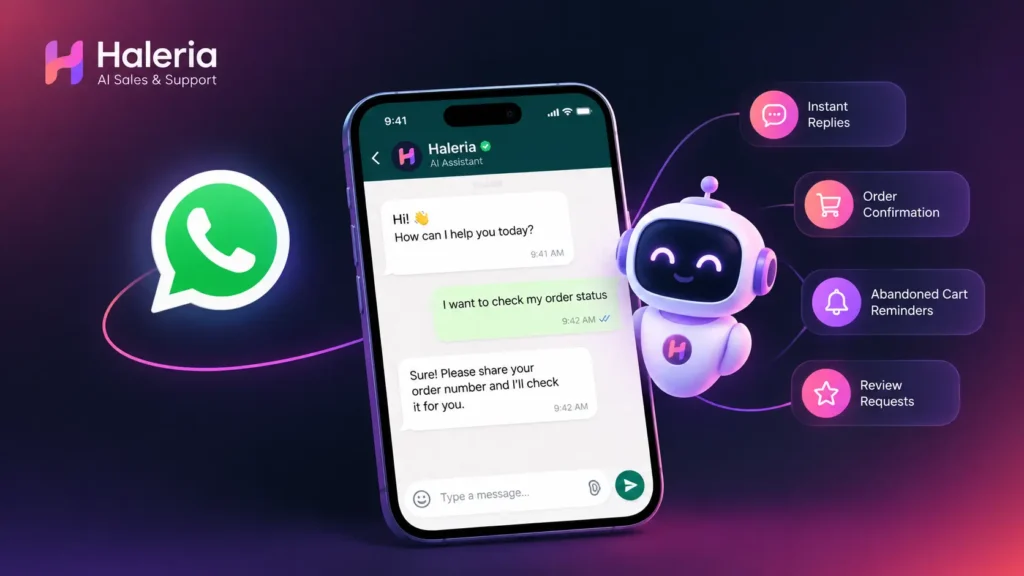
A customer visits your Shopify store, finds a product they like, and sends you a WhatsApp message: “Is this available in black?” Another customer wants to know the delivery charges, while someone else asks whether they can return an item after receiving it.
These questions are part of running an online store. The challenge begins when several customers ask them at the same time, especially when you are busy packing orders, updating products, or managing other parts of your business.
A WhatsApp AI agent can help by answering customer questions using information from your store, without requiring you to type every response yourself.
For Shopify merchants, Haleria makes this process straightforward. After connecting your WhatsApp account and enabling the AI auto-reply option, the agent can use your store’s product information and selected pages and policies to respond to customer queries.
Let’s look at what a WhatsApp AI agent actually does, how you can set one up, and how to switch it off whenever you want to handle conversations manually.
What Is a WhatsApp AI Agent?
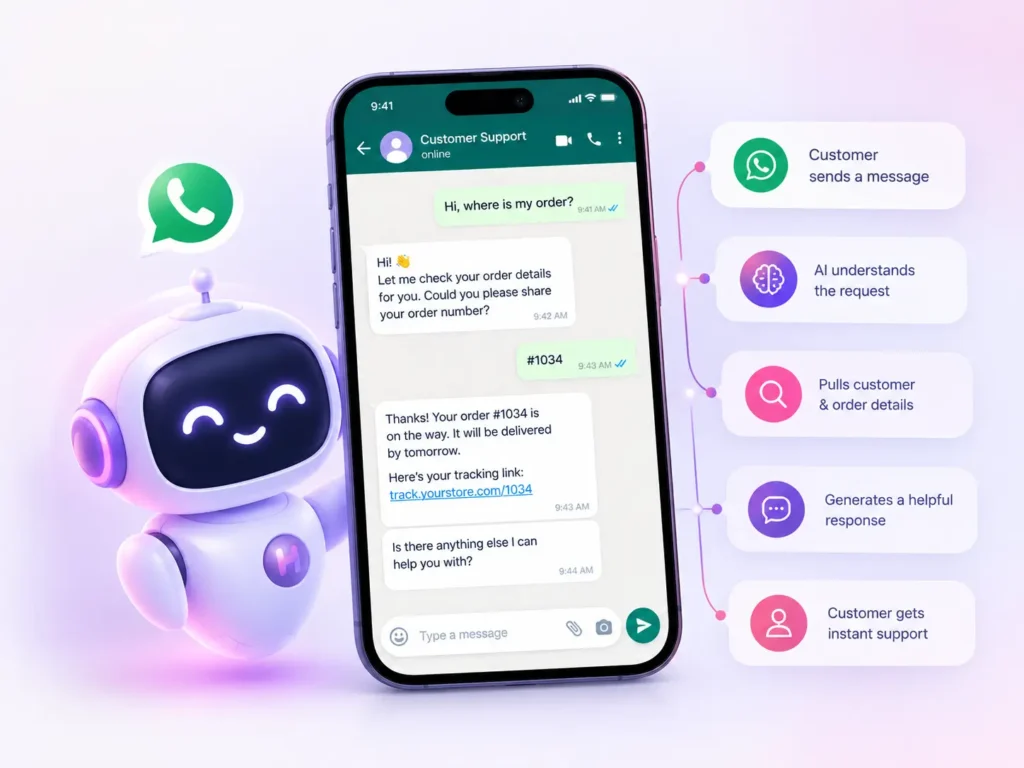
A WhatsApp AI agent is a system that uses artificial intelligence to understand customer messages and generate relevant replies through WhatsApp.
Unlike a basic auto-reply that sends the same greeting to everyone, an AI agent can respond differently depending on what a customer asks and what information is available to it.
For example, imagine you sell skincare products through Shopify. A customer messages your business:
Customer: “Which moisturizer is suitable for dry skin?”
If your product descriptions contain the relevant information and the AI agent has access to it, the agent can recommend a suitable product based on those details. If another customer asks about delivery charges, it can use the information available in your store’s shipping policy.
The goal is to make customer conversations easier to manage while helping shoppers find answers without waiting for you to become available.
How Is a WhatsApp AI Agent Different From a Regular Chatbot?
A traditional rule-based chatbot usually follows predefined instructions. It might display a menu such as “1 for orders” or “2 for delivery information.”
A WhatsApp AI agent can interpret questions written in natural language and generate a response using the information provided to it.
For a Shopify store, this means customers can ask about products, prices, delivery, returns, or other store-related details in their own words instead of following a fixed menu.
However, the quality of its answers depends on the information it can access, the way the system is configured, and the clarity of your store content.
How Does a WhatsApp AI Agent Work?
The process starts when a customer sends a message to your connected business WhatsApp account.
Here is how the process works with Haleria for Shopify stores.
1. Connect WhatsApp to Your Shopify Store
First, connect your WhatsApp account through Haleria and complete the required setup.
This connection allows Haleria to handle customer conversations through the connected WhatsApp channel. Once the connection is ready, you can configure whether the AI agent should reply automatically.
2. Enable the AI Auto-Reply Option
Inside Haleria, look for the setting named “Allow AI to Auto Reply WhatsApp Messages.”
Enable this option to activate automatic AI responses.
This is the key setting that determines whether Haleria’s AI agent should respond automatically to incoming WhatsApp messages.

3. Let the AI Access Your Store Information
Haleria can use your Shopify product information to help answer customer questions. You can also select the relevant store pages and policies you want the AI agent to access.
Depending on the information available, this can include:
- Product names and descriptions
- Product prices and available details
- Shipping and delivery policies
- Return and refund policies
- Contact information
- Other relevant pages from your store
For example, if a customer asks about your return policy, the AI agent can use the selected policy page to prepare a relevant answer.
A practical tip: Keep your product descriptions and policies accurate and up to date. If your delivery charges or return conditions change, update the information on your store so the AI has the correct details to work with.
4. Customers Receive Automatic Replies
Once automatic replies are enabled and the relevant information is available, customers can send questions to your WhatsApp account and receive AI-generated responses.
For instance:
Customer: “Do you deliver outside Lahore?”
AI agent: Responds using the delivery information available in your store.
Customer: “Can I return the product if it doesn’t suit me?”
AI agent: Uses the relevant return policy to explain the available conditions.
Customer: “What is the price of your hydrating serum?”
AI agent: Uses the available product information to answer the question.
These examples illustrate how the system can work; actual responses depend on your store content and Haleria’s configuration.
Why Should Shopify Stores Use a WhatsApp AI Agent?
Customers often contact a store before placing an order. If they cannot find an answer quickly, they may leave the conversation and continue shopping elsewhere.
An AI agent can help you make those conversations easier to manage.
Answer Common Questions Without Typing Every Reply
You do not need to write a fresh response every time someone asks about delivery, product details, or return conditions. The agent can handle supported questions using your store information.
Reduce Repetitive Customer Support Work
If your team receives similar questions throughout the day, automatic replies can reduce the time spent answering them individually.
That leaves you with more time for order management, product updates, marketing, and conversations that genuinely need personal attention.
Help Customers Outside Your Working Hours
Online shoppers may send messages while you are away from your desk or after your usual working hours.
With automatic replies enabled, the AI agent can respond to supported questions without requiring you to be online to type each answer. Actual availability depends on your connection, configuration, and service status.
Give Customers More Relevant Answers
When the agent can access your product details and selected policies, it has useful context for answering questions about your business rather than relying only on generic replies.
This is especially helpful for stores with multiple products, different delivery conditions, or frequently asked product questions.
Support a Growing Shopify Business
As your store grows, the number of customer conversations may grow too. Automating common questions can help you manage more enquiries without increasing the manual workload at the same rate.
An AI agent does not replace every customer service task, but it can take care of routine conversations while you focus on the ones that need your attention.
How to Build a WhatsApp AI Agent for Shopify
If you are researching how to build a WhatsApp AI agent, you have two main options: develop a custom solution or use an existing platform that provides the connection and automation features you need.
Option 1: Use Haleria for a Simpler Setup
For Shopify merchants who want to automate replies without building a system from scratch, Haleria offers a practical starting point.
Follow these steps:
- Install Haleria on your Shopify store and complete the setup.
- Connect your WhatsApp account through Haleria.
- Find the “Allow AI to Auto Reply WhatsApp Messages” setting.
- Enable automatic replies.
- Select the store pages and policies the AI should be able to access.
- Check that your product information, delivery details, and policies are accurate.
- Test the setup by sending questions to your connected WhatsApp account.
Start with common customer questions such as product availability, pricing, shipping, and returns. Review the answers to confirm that they match your store’s information.
You can then refine your product descriptions and policy pages wherever the answers need improvement.
Option 2: Build a Custom WhatsApp AI Agent
If you want to develop your own system, you will generally need several components:
- WhatsApp Business Platform: A supported way to receive and send business messages.
- Webhook or messaging integration: To receive incoming messages and pass them to your application.
- AI model: To interpret customer questions and generate responses.
- Knowledge source: Product data, FAQs, policies, and other approved business information.
- Business logic: Rules for handling unsupported questions, sensitive requests, and situations that require a human.
- Monitoring and testing: To check response accuracy, reliability, and compliance with applicable messaging rules.
If you are connecting the agent to Shopify, you will also need an appropriate way to retrieve and maintain product and store information.
A custom build gives you more control, but it also requires development, testing, ongoing maintenance, and careful handling of customer information.
For a store owner who simply wants to answer everyday customer questions automatically, an existing Shopify integration may be more convenient.
How to Make a WhatsApp AI Agent Answer Better
Switching on automatic replies is only one part of the process. The information you provide has a major effect on how useful the responses will be.
Keep Product Descriptions Detailed
Include the information customers regularly ask about, such as size, material, ingredients where relevant, colour options, usage instructions, and other product specifications.
Avoid descriptions that only say “premium quality” or “best product” without explaining what the item actually offers.
Make Store Policies Easy to Understand
Write clear shipping, exchange, refund, and return policies. Include relevant conditions and timelines rather than leaving customers to guess.
If a policy is unclear to a person reading it, the AI agent may also struggle to provide a precise answer.
Test Real Customer Questions
Try different ways of asking the same question.
For example:
- “How much is delivery?”
- “What are your shipping charges?”
- “Do you charge extra for delivery?”
Check whether the answers are consistent with your published policy.
Know When a Human Should Take Over
Not every question should be handled automatically. Complaints, unusual order problems, payment disputes, and requests that require checking private order information may need human attention or additional verification.
Make sure your support process gives customers a way to reach your team when the agent cannot provide a reliable answer.
Is There a Free WhatsApp AI Agent?
If you are searching for a WhatsApp AI agent free option, check whether the service offers a free plan or trial and what that plan includes.
A free option may be useful for testing automatic replies before committing to a paid subscription. However, do not assume that every feature, integration, or messaging service is included without charge.
For Shopify merchants, Haleria provides a way to connect WhatsApp and enable AI auto-replies using store information. Check the current Haleria plan details to confirm the available features, usage limits, and any applicable charges.
Also distinguish between the cost of the software and the cost of messaging services. Depending on your setup and the type of message, WhatsApp Business Platform charges or other service fees may apply.
Before choosing a solution, consider how many customer conversations you receive, which questions you want to automate, and whether you need additional features such as order notifications or marketing messages.
How to Disable WhatsApp AI Agent in Haleria
Want to stop automatic replies and answer customers yourself? You do not need to remove Haleria or disconnect your WhatsApp account just to switch off the AI auto-reply feature.
Follow these steps:
Step 1: Open Your Haleria Settings
Open Haleria from your Shopify store and go to the area where you configured WhatsApp AI replies.
Step 2: Find the Auto-Reply Setting
Look for the option named “Allow AI to Auto Reply WhatsApp Messages.”
Step 3: Turn the Setting Off
Disable the toggle or option.
Once automatic replies are disabled, Haleria’s AI agent will stop sending automatic responses through this feature. You can then reply to customers manually using your connected WhatsApp setup.
Step 4: Test the Change
Send a test message to your business WhatsApp account and verify that an automatic AI reply is no longer being sent.
Remember that disabling AI auto-replies is different from disconnecting WhatsApp altogether. Other enabled messaging automations may continue to operate according to their own settings, so check those separately if you want to stop other automated messages too.
WhatsApp AI Agent Best Practices for Shopify Merchants
Before relying on an AI agent for everyday customer support, take a few minutes to review your setup.
- Check your source information: Ensure product descriptions, prices, and policies are current.
- Test before relying on it: Try common questions and less straightforward requests.
- Avoid unsupported promises: The agent should not invent discounts, delivery dates, stock availability, or policy exceptions.
- Respect customer privacy: Give the system only the access it needs, and handle customer data appropriately.
- Follow WhatsApp’s rules: Use the correct messaging methods and obtain any required consent for business-initiated messages.
- Keep a human support option: Give customers a clear route to a person when needed.
- Review performance: Periodically check whether responses are helpful, accurate, and consistent with your business policies.
A good WhatsApp AI agent should make communication easier for both your customers and your team. The objective is not to automate every conversation at any cost; it is to answer routine questions well and leave more complicated situations to people.
Start Automating WhatsApp Replies With Haleria
Your customers should not have to wait for a simple answer about a product, delivery charge, or return policy.
With Haleria, Shopify merchants can connect WhatsApp, enable “Allow AI to Auto Reply WhatsApp Messages,” and let the agent use their store’s product information and selected pages to answer supported customer questions.
You can turn automatic replies off whenever you prefer to manage conversations manually, giving you control over how customer communication works.
Ready to simplify customer support for your Shopify store? Explore Haleria, connect your WhatsApp account, and test AI-powered replies with your own store information.
Frequently Asked Questions
1. What is a WhatsApp AI agent?
A WhatsApp AI agent uses artificial intelligence to understand incoming WhatsApp messages and generate replies based on available business information. For Shopify stores, it can help answer common questions about products, delivery, and store policies.
2. Is there a free WhatsApp AI agent?
Some platforms offer free plans or trials, but features and usage limits vary. Check the current Haleria pricing and plan details to see which AI auto-reply features are available and whether any additional messaging charges apply.
3. How to build a WhatsApp AI agent?
You can build one using the WhatsApp Business Platform, a messaging integration, an AI model, a source of business information, and appropriate response rules. Alternatively, Shopify merchants can use an existing integration such as Haleria to avoid developing the entire system from scratch.
4. How to make a WhatsApp AI agent for Shopify?
Install Haleria on your Shopify store, connect your WhatsApp account, enable “Allow AI to Auto Reply WhatsApp Messages,” and select the store pages and policies you want the AI to access. Test the responses to make sure they match your store information.
5. How to disable WhatsApp AI agent?
In Haleria, open your WhatsApp AI settings and turn off “Allow AI to Auto Reply WhatsApp Messages.” The AI auto-reply feature will stop sending automatic responses, allowing you to handle customer messages manually. Other automations may have separate settings.
6. Can a WhatsApp AI agent answer product questions automatically?
Yes, provided the agent has access to relevant and accurate product information. With Haleria, Shopify product details can be used to answer supported customer questions. The accuracy of the response depends on the available information and configuration.
7. Can I use a WhatsApp AI agent outside business hours?
An appropriately configured and active WhatsApp AI agent can answer supported questions outside your normal working hours. Its availability depends on the platform connection, service status, and settings.
8. Does a WhatsApp AI agent replace customer support staff?
Not completely. It can handle routine questions and reduce repetitive work, but complex complaints, unusual requests, and situations requiring human judgement may still need your team.
9. Does a WhatsApp AI agent need my Shopify store policies?
Providing access to relevant policies helps the agent answer questions about shipping, returns, refunds, and other store conditions. In Haleria, you can select the relevant pages and policies you want the AI agent to access.
10. Is a WhatsApp AI agent the same as WhatsApp Business auto-reply?
Not necessarily. Basic WhatsApp Business automatic replies may send predefined messages, while an AI agent can interpret a customer’s question and generate a context-relevant answer using available business information. The exact capabilities depend on the tool you use.