

Table of Contents
Imagine a customer visiting your online store at midnight. They have a question about a product, want to know whether their order has been confirmed, or need help choosing the right item.
But your support team is offline.
What happens next? In many cases, the customer leaves without placing an order.
This is where a WhatsApp chatbot can make a real difference.
Instead of making customers wait for a response, businesses can use automated conversations to answer common questions, recommend products, share order updates, and provide support directly through WhatsApp.
For ecommerce businesses, especially Shopify store owners, this means fewer repetitive tasks and more opportunities to convert visitors into customers.
But what exactly is a WhatsApp chatbot, how does it work, and is it worth using for your business? Let’s explore.
What Is a WhatsApp Chatbot?
A WhatsApp chatbot is an automated messaging system that communicates with customers through WhatsApp. It can respond to questions, provide information, guide customers through purchasing decisions, and handle routine support requests without requiring a human agent to answer every message.
Think of it as a virtual assistant for your business that is available around the clock.
For example, when someone messages your business asking, “Do you have this product in stock?”, the chatbot can provide an automated response based on your product information.
Depending on the platform, a chatbot can also:
- Answer frequently asked questions.
- Share product details and recommendations.
- Help customers place orders.
- Send order confirmation messages.
- Provide shipping and delivery updates.
- Follow up with customers who leave their carts or checkouts incomplete.
- Transfer conversations to a human support agent.
Some chatbots follow predefined rules, while AI-powered chatbots can understand customer questions and generate more natural responses.
How Does a WhatsApp Chatbot Work?
A WhatsApp chatbot works by connecting your business messaging account to an automation platform through the WhatsApp Business Platform.
When a customer sends a message, the platform receives it and processes the conversation according to the chatbot’s configuration.
Here’s a simple breakdown:
1. Customer Sends a Message
A customer opens WhatsApp and sends a message to your business.
For example:
“Hi, I want to know more about your products.”
2. The Chatbot Understands the Message
The chatbot identifies what the customer is asking.
A rule-based chatbot matches the message with predefined keywords or options. An AI-powered chatbot can understand different ways of asking the same question.
3. The Chatbot Provides a Response
Based on the customer’s question, the chatbot sends relevant information.
It might share product details, pricing, availability, shipping information, or a link to purchase.
4. The Conversation Continues
Customers can ask additional questions, explore products, or request assistance.
If the chatbot cannot handle a particular request, the conversation can be transferred to a human representative, depending on the platform.
5. Automated Follow-Ups Take Place
Businesses can also configure approved message templates for specific updates and follow-ups, subject to WhatsApp’s messaging policies.
This can include order updates, delivery notifications, and eligible abandoned checkout reminders.
Why Do Businesses Need a WhatsApp Chatbot?
Customers expect quick responses. They don’t want to wait several hours just to find out whether a product is available or when their order will arrive.
For businesses receiving dozens or hundreds of daily messages, answering every question manually becomes difficult.
A WhatsApp chatbot helps solve this problem by handling repetitive conversations and making customer communication more manageable.
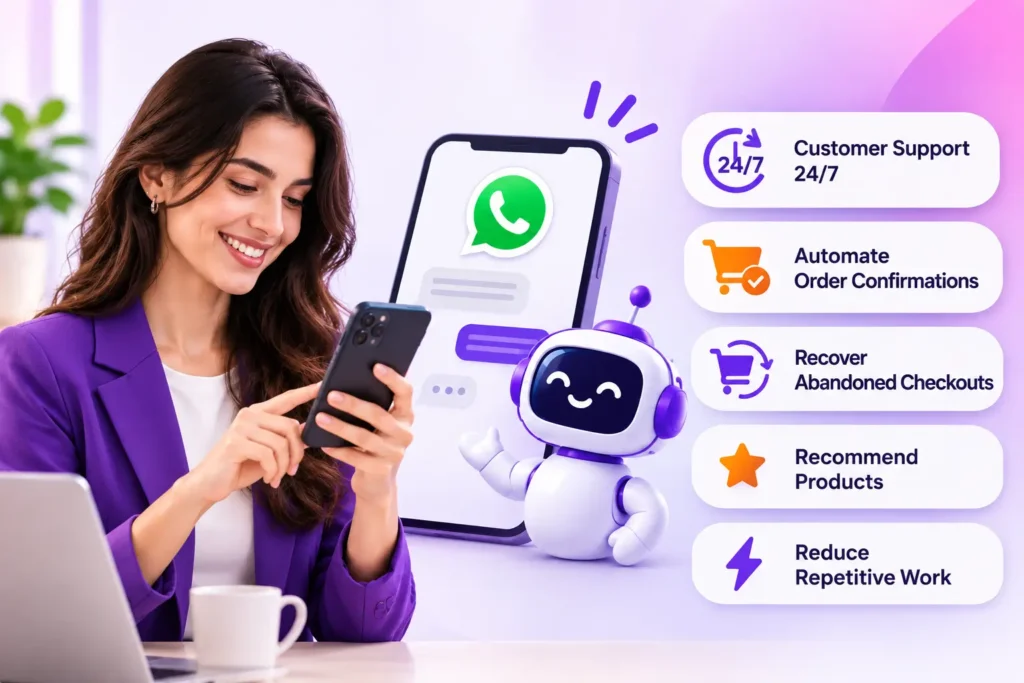
Here are some practical benefits.
1. Provide Customer Support 24/7
Your customers don’t always shop during business hours.
A WhatsApp chatbot can answer common questions even when your support team is unavailable.
For example, customers can ask about:
- Product availability.
- Payment methods.
- Shipping charges.
- Return and refund policies.
- Store opening hours.
- Order tracking.
This gives customers access to basic support whenever they need it.
2. Automate Order Confirmations
For Shopify stores that accept Cash on Delivery (COD), confirming orders manually can consume a considerable amount of time.
A WhatsApp chatbot can send order confirmation messages automatically and allow customers to confirm or cancel their purchases through interactive options.
For example:
“Your order has been received. Would you like to confirm it?”
Customers can select the appropriate option without waiting for a phone call.
This helps merchants manage incoming orders and identify customers who haven’t responded.
3. Recover Abandoned Checkouts
Not every customer who adds a product to their cart completes the purchase.
Some leave because they get distracted, have questions, or simply forget to finish checkout.
A WhatsApp chatbot can help businesses reconnect with eligible customers through automated abandoned checkout messages.
A simple reminder might say:
“Hi! You left something in your shopping cart. Would you like to complete your purchase?”
With the right Shopify integration, businesses can include relevant checkout information and a link that takes customers back to their unfinished purchase.
4. Recommend Products Automatically
Customers often need help choosing the right product.
An AI-powered WhatsApp chatbot can use product information to answer questions and recommend relevant items.
For example, a clothing store customer might ask:
“I’m looking for something suitable for a formal dinner.”
The chatbot can suggest available outfits based on the store’s product catalogue.
This creates a more convenient shopping experience without requiring a salesperson to handle every product inquiry.
5. Reduce Repetitive Work
Support teams frequently answer the same questions throughout the day.
A chatbot can handle many of these routine conversations, allowing employees to focus on more complicated customer requests, sales opportunities, and business operations.
The goal isn’t necessarily to replace your support team. It’s to give them more time for work that actually requires human attention.
What Is the Difference Between a Rule-Based and AI WhatsApp Chatbot?
Not every WhatsApp chatbot works in the same way.
Some use fixed rules and predefined responses, while others use artificial intelligence to understand customer questions.
Here’s how they compare.
| Feature | Rule-Based Chatbot | AI-Powered Chatbot |
|---|---|---|
| Responses | Predefined | Context-aware AI responses |
| Customer questions | Follows set options | Understands natural language |
| Flexibility | Limited | More flexible |
| Product recommendations | Basic | Can use product information |
| Setup | Usually simpler | Requires knowledge and configuration |
| Complex questions | Limited | Better at handling varied questions |
| Best for | Simple workflows | Sales and customer support |
A rule-based chatbot is useful when you need customers to follow a particular process.
An AI-powered chatbot is more suitable when customers ask different questions and expect conversational answers.
For ecommerce businesses, a combination of both can be particularly useful.
How to Choose the Best WhatsApp Chatbot Service
Choosing the best WhatsApp chatbot service isn’t just about finding a platform that sends automatic replies.
You need a solution that supports your business operations and gives customers a smooth experience.
Before selecting a service, consider these important features.
1. Official WhatsApp Business API Integration
This should be one of your first considerations.
Choose a service that works with the Official WhatsApp Business Platform rather than relying on unofficial WhatsApp Web connections or QR-based automation.
Official integration provides a more reliable foundation for business messaging and supports approved messaging features.
Remember that using the official platform does not mean messages are exempt from WhatsApp’s policies or account-quality requirements.
2. AI-Powered Customer Conversations
Look for a chatbot that can understand customer questions instead of responding only to exact keywords.
It should be able to provide relevant answers using your business information, product catalogue, FAQs, and support documentation.
3. Shopify and Ecommerce Integration
If you operate an online store, integration with your ecommerce platform can make a significant difference.
For Shopify merchants, useful capabilities include:
- Automatic order confirmation.
- Order status updates.
- Product catalogue access.
- Abandoned checkout reminders.
- Customer information synchronization.
- Automated post-purchase communication.
Without ecommerce integration, you may need to manage customer information and order-related conversations separately.
4. Human Handover
Automation cannot handle every situation.
Customers sometimes have complaints, payment problems, or complicated requests that require personal attention.
Your chatbot should allow conversations to be transferred to a human support representative when necessary.
5. Easy Setup and Management
A complicated chatbot can create more work than it saves.
Look for a platform with a straightforward dashboard, simple configuration, useful analytics, and manageable automation workflows.
6. Transparent Pricing
Compare subscription costs, conversation limits, automation features, and additional messaging charges.
Also check whether WhatsApp’s applicable messaging charges are included in the subscription or billed separately.
Is There a WhatsApp Chatbot Free Option?
Yes, you can find platforms offering a WhatsApp chatbot free plan or a free trial.
However, free doesn’t always mean completely free messaging.
Some services offer limited chatbot conversations, basic automation, or a restricted number of contacts. Others provide free software access while charging separately for WhatsApp messaging.
Before choosing a WhatsApp chatbot free plan, check:
- How many conversations or messages are included?
- Are AI responses available?
- Can you connect your Shopify store?
- Is the Official WhatsApp Business API supported?
- Are order confirmations included?
- Are abandoned checkout automations available?
- Do you need to pay additional WhatsApp messaging charges?
For a small business, a free plan can be a good starting point.
But if you receive regular customer inquiries or manage a growing ecommerce store, investing in a solution with proper automation and integration may provide better long-term value.
How Haleria Helps Shopify Businesses Automate WhatsApp Conversations
Managing customer communication becomes more complicated as your Shopify store grows.
You receive product inquiries, order confirmation requests, delivery questions, and abandoned checkout notifications. Handling all of these manually can take time away from growing your business.
Haleria AI Sales & Support helps Shopify merchants manage these activities through AI-powered conversations and Official WhatsApp Business API automation.
Instead of using separate tools for different customer communication tasks, merchants can manage important sales and support workflows through one platform.
AI-Powered WhatsApp Customer Support
Haleria helps businesses respond to customer questions using AI trained on relevant business information.
It can use your FAQs, policies, and product information to provide more relevant answers.
Customers can ask about products, shipping, returns, and other store-related questions without waiting for a support representative.
Automated Shopify Order Confirmation
Haleria can send automated WhatsApp order confirmation messages to Shopify customers.
For COD orders, customers can confirm or cancel their purchases using interactive message buttons.
This helps merchants organize their order confirmation process and reduce the need for manual follow-ups.
Abandoned Checkout Recovery
Customers who leave without completing checkout may still be interested in purchasing.
Haleria helps Shopify merchants send automated WhatsApp reminders to eligible customers, giving them an opportunity to return and complete their purchase.
AI Product Discovery
Customers don’t always know exactly what they want.
Haleria’s AI-powered product discovery helps customers explore products and find relevant options through conversations.
This makes shopping more interactive and gives customers another way to discover products.
Automated Phone Order Confirmation
Some customers may not respond to WhatsApp confirmation messages.
Haleria also offers automated phone confirmation workflows, allowing eligible customers to confirm or cancel orders through an IVR call.
This gives Shopify merchants another way to manage COD order confirmations.
WhatsApp Marketing and Customer Engagement
Businesses can also use Haleria’s WhatsApp bulk messaging capabilities to communicate with customers through approved message templates.
This can be useful for promotional campaigns, product announcements, and customer engagement, provided businesses follow applicable consent and messaging requirements.
Want to simplify your Shopify customer communication?
Explore Haleria AI Sales & Support and discover how WhatsApp automation can help you manage customer conversations, confirm orders, and recover abandoned checkouts.
Best Practices for Using a WhatsApp Chatbot for Business
Simply installing a chatbot isn’t enough. You need to configure it properly and make sure it provides a helpful experience.
Here are some practices worth following.
1. Keep Automated Responses Natural
Avoid making every response sound like a generic automated message.
Use simple language, answer questions directly, and make conversations easy to follow.
2. Don’t Automate Everything
Some customer requests need human attention.
Give customers a clear way to speak with a real person when the situation requires it.
3. Train Your AI With Accurate Information
If your chatbot uses AI, make sure its knowledge sources are accurate and up to date.
Incorrect product prices, outdated shipping policies, or misleading availability information can damage customer trust.
4. Follow WhatsApp Messaging Policies
Use appropriate opt-in practices, approved message templates where required, and compliant messaging workflows.
Avoid sending unsolicited promotional messages or using unofficial automation methods.
5. Monitor Chatbot Performance
Review your chatbot conversations regularly.
Pay attention to unanswered questions, customer complaints, successful order confirmations, and conversations that require human support.
Use these insights to improve your chatbot over time.
Final Thoughts
A WhatsApp chatbot is no longer just a tool for sending automatic replies. It can become an important part of how businesses communicate with customers, manage sales inquiries, and provide support.
For ecommerce businesses, the right solution can help automate repetitive tasks, improve response times, and make the shopping experience more convenient.
However, choosing the right platform matters. Look beyond basic auto-replies and consider AI capabilities, official WhatsApp integration, ecommerce connectivity, order automation, and human support options.
If you run a Shopify store and want to bring customer communication and sales automation together, Haleria is worth exploring.
Start simplifying your Shopify customer conversations with Haleria.
Frequently Asked Questions (FAQs)
1. What is a WhatsApp chatbot used for?
A WhatsApp chatbot is used to automate customer communication. Businesses can use it to answer questions, share product information, confirm orders, provide delivery updates, and manage customer support.
2. Is there a WhatsApp chatbot free?
Yes. Some chatbot platforms offer free plans or trials with limited features. However, additional WhatsApp messaging charges may apply depending on the platform and usage.
3. Which is the best WhatsApp chatbot service?
The best WhatsApp chatbot service depends on your business requirements. Look for official WhatsApp Business Platform integration, AI-powered conversations, ecommerce integrations, order automation, analytics, and human handover options.
4. Can I use a WhatsApp chatbot for business?
Yes. Businesses can use WhatsApp chatbots to automate customer support, answer product inquiries, share updates, manage sales conversations, and improve customer engagement.
5. Can I connect a WhatsApp chatbot to Shopify?
Yes. Some WhatsApp chatbot platforms offer Shopify integration. Depending on the solution, merchants can automate order confirmations, send checkout reminders, answer product questions, and provide order updates.
6. What is the difference between WhatsApp Business and a WhatsApp chatbot?
WhatsApp Business is a messaging solution for businesses that includes features such as business profiles, quick replies, and basic automated greetings. A WhatsApp chatbot provides more advanced automated conversations and workflows through a compatible chatbot platform.
7. Can a WhatsApp chatbot recover abandoned carts?
Yes. Compatible ecommerce chatbot platforms can send WhatsApp reminders to eligible customers who leave their carts or checkouts incomplete. These messages must follow applicable WhatsApp messaging rules.
8. Is a WhatsApp chatbot better than human customer support?
A chatbot and human support serve different purposes. Chatbots are useful for repetitive questions and routine workflows, while human agents are better suited to complex requests, complaints, and situations that require personal judgment. Combining both often provides a better customer experience.