
Table of Contents
Running a Shopify store means answering customer questions while managing products, orders, marketing, and everything else that keeps a business moving. Some customers want to know which size to buy. Others ask about delivery times, return policies, payment methods, or an order they placed yesterday.
When these questions keep coming in, even a small support team can feel overwhelmed.
That is where AI chatbots can help. A well-configured chatbot can answer common questions, guide shoppers toward suitable products, provide support outside business hours, and reduce the amount of repetitive work your team handles manually.
But choosing the right tool is not as simple as installing the first chatbot you find in the Shopify App Store. Some tools focus on customer support, others concentrate on product recommendations, and some connect website conversations with WhatsApp and other messaging channels.
In this guide, we compare the best AI chatbots for Shopify stores 2026 based on their primary use cases, features, pricing considerations, and suitability for different businesses. You will also learn what to look for before installing one and how to decide whether a free option is enough for your store.
What Is an AI Chatbot for Shopify?
An AI chatbot for Shopify is a software tool that communicates with shoppers through a website chat widget or supported messaging channel. It uses artificial intelligence to understand questions and generate responses based on available product information, store policies, help articles, or connected business data.
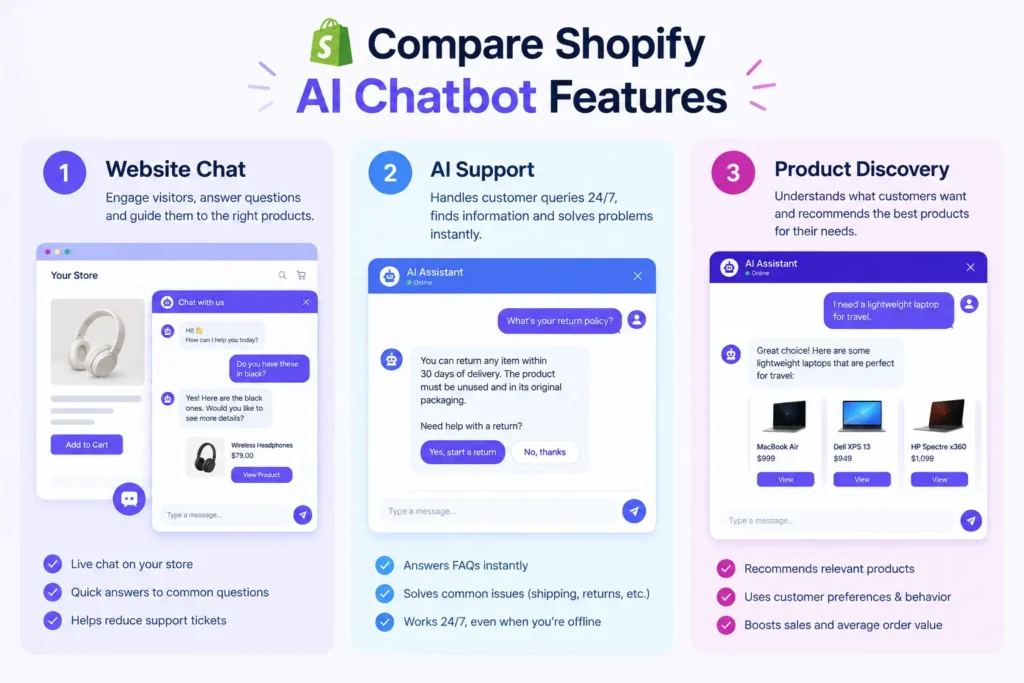
For example, imagine someone visits your clothing store and asks, “I need a formal outfit for a wedding. What would you recommend?”
Instead of making the customer search through every collection, a product-aware chatbot can ask about their preferences and suggest relevant products.
A shopper might also ask, “How long does delivery take?” The chatbot can explain your shipping policy without requiring someone from your team to answer the same question again.
Depending on the app and its permissions, AI chatbots can also help customers find products, check order information, and move conversations to a human support agent when necessary.
The important distinction is that not every chatbot can perform every task. An app that answers questions from website content may not have access to live order information or the ability to update an order. Always check the integration and permissions before relying on a particular feature.
Best AI Chatbots for Shopify Stores in 2026: Quick Comparison
There is no single chatbot that suits every Shopify business. The right choice depends on whether your main goal is answering support questions, helping customers shop, managing conversations across channels, or automating order-related communication.
Here are six options worth evaluating.
| Chatbot | Best suited for | Main strengths | Pricing approach |
|---|---|---|---|
| Shopify Inbox | Small stores getting started | Free live chat and customer conversations | Free |
| Tidio | Small and growing stores | Website chat, support workflows, AI assistance | Free entry option and paid plans |
| Gorgias | Established support teams | Shared helpdesk, Shopify customer context, AI support | Paid plans; features and usage vary |
| Re | Multichannel customer service | Shared inbox and customer communication | Paid plans |
| Rep AI | Product discovery and sales | Shopping assistance and proactive engagement | Free entry option; paid tiers vary |
| Haleria AI Sales & Support | Shopify stores seeking AI webchat and WhatsApp automation | Product questions, policy-based replies, and messaging automation | Plans start from $6; verify current plan limits |
Pricing note: These are starting points or pricing models, not a like-for-like quote. Free-plan limits, AI conversation allowances, included features, and usage fees can change. Check each provider’s current pricing page and Shopify App Store listing before purchasing.
1. Shopify Inbox — Best Free Starting Point
Shopify Inbox is a useful starting point for merchants who want to communicate with shoppers without immediately paying for a separate customer support platform.
Because it is Shopify’s native messaging tool, it is particularly convenient for businesses that want to manage website conversations from their existing Shopify environment.
Key features
- Live chat with website visitors.
- Access to relevant customer and shopping context.
- Suggested replies and supported instant-answer features.
- Customer conversations managed through Shopify.
- A straightforward starting point for small teams.
Pricing
Shopify Inbox is free to use. Some features and availability may depend on the current Shopify setup.
Pros
- No separate chatbot subscription to get started.
- Suitable for stores with a limited support budget.
- Convenient for merchants already working inside Shopify.
Limitations
Shopify Inbox is primarily a messaging and live-chat solution. It should not be confused with a fully autonomous AI agent that can independently complete every support or sales task.
Stores looking for extensive cross-channel automation, advanced workflows, or deeper AI-driven product discovery may need additional tools.
Best for: New Shopify stores that want to start with customer conversations before investing in more advanced automation.
2. Tidio — Best for Small and Growing Stores
Tidio combines live chat, customer support workflows, and AI-powered assistance. Its Lyro AI offering is designed to help businesses answer customer questions using available support knowledge.
For a store receiving frequent questions about shipping, product availability, returns, and store policies, Tidio is worth considering.
Key features
- Website live chat.
- AI-assisted customer support through Lyro.
- Automated conversation flows.
- Support for managing customer conversations.
- Options for expanding functionality through paid plans.
Pricing
Tidio has offered a free entry option alongside paid plans and AI-specific packages. The cost depends on the selected plan, conversation allowances, and features.
Check the official Tidio website for current pricing.
Pros
- A practical option for smaller support teams.
- Combines live chat with automation.
- Can reduce repetitive responses to common questions.
Limitations
The amount of AI usage available and the features included depend on the plan. Merchants should check conversation limits and additional charges before choosing a package.
Who should choose Tidio?
Tidio is worth considering if you primarily want to improve website customer support and introduce automation without building a complex helpdesk operation.
3. Gorgias — Best for Shopify Customer Support Teams
Gorgias is a customer service platform built for ecommerce businesses. Rather than focusing only on a website chat window, it brings customer conversations into a broader support environment.
This can be useful when a business receives messages through several channels and needs its team to manage them in one place.
Key features
- Shared customer support inbox.
- Shopify-related customer and order context.
- AI-powered support capabilities.
- Customer service workflows and automation.
- Tools for organizing conversations and support operations.
Pricing
Gorgias uses paid plans, with pricing and included usage depending on the package. AI-related capabilities and usage charges should be reviewed separately rather than assuming they are included in every subscription.
Visit Gorgias for current plan details.
Pros
- Useful for businesses with regular support volume.
- Connects customer service with ecommerce workflows.
- More suitable for organized support teams than a basic standalone chat widget.
Limitations
It may be more than a small store needs. Merchants should calculate the total cost of the subscription, ticket volume, and AI usage before committing.
Who should choose Gorgias?
Consider Gorgias if your support team manages a steady stream of customer conversations and needs a centralized system rather than just an automated website assistant.
4. Re Best for Multichannel Customer Service
Re is another option for ecommerce businesses that want to bring customer communication and support workflows together.
It is particularly relevant for stores where managing conversations consistently matters as much as answering them quickly.
Key features
- Customer messaging and shared inbox functionality.
- Live chat and support workflows.
- AI-assisted responses and chatbot capabilities, depending on the plan.
- Ecommerce integrations.
- Support for teams handling customer inquiries across different communication channels.
Pricing
Re offers paid plans. The price depends on the selected package and the features available at the time of purchase.
Check Re for current pricing and plan inclusions.
Pros
- Helpful for teams managing customer communication in one workspace.
- Combines support tools with automation.
- Can suit stores with more complicated customer service requirements.
Limitations
Businesses that only need a simple FAQ chatbot may not need a full support platform. Confirm the availability of each AI feature and any usage limits before choosing a plan.
Who should choose Re?
Re is worth evaluating if your store has multiple support channels and you want a more organized way to manage customer conversations.
5. Rep AI — Best for Product Discovery and On-Site Sales
Customer support is only one reason to install a chatbot. Sometimes, the bigger problem is helping visitors decide what to buy.
Rep AI focuses on shopping assistance and customer engagement, making it relevant for merchants who want to help shoppers discover products and move closer to a purchase.
Key features
- AI shopping assistance.
- Product discovery and recommendations.
- Proactive customer engagement capabilities.
- Tools designed to support the online shopping journey.
- Shopify-related product and store integrations, depending on the current offering.
Pricing
Rep AI has offered a free entry option and paid plans. Confirm current subscription prices, visitor limits, and included features on the official Rep AI website.
Pros
- Focuses on helping shoppers discover suitable products.
- Useful for stores with large catalogs or customers who need buying guidance.
- Can complement existing customer service tools.
Limitations
Product discovery is different from order management. Do not assume a sales chatbot can automatically verify COD orders, send WhatsApp notifications, or manage post-purchase support unless those capabilities are explicitly included.
Who should choose Rep AI?
Consider Rep AI if your main objective is to improve the shopping experience, answer pre-purchase questions, and help customers choose products.
6. Haleria AI Sales & Support — Best for AI Webchat and WhatsApp Automation
A website chatbot can answer questions while customers browse, but many Shopify businesses also need to communicate with shoppers after they leave the website.
This is especially relevant for stores that receive orders through cash on delivery (COD), rely on WhatsApp for customer communication, or spend considerable time confirming orders manually.
Haleria AI Sales & Support combines AI-powered webchat with WhatsApp automation features designed to support different stages of the customer journey.
Key features
- AI-powered website chat: Answer customer questions using supported store information and configured knowledge sources.
- Product discovery: Help shoppers explore relevant products and find information before making a purchase.
- Policy-based responses: Use configured information from sources such as FAQs, shipping policies, return policies, and other store pages.
- WhatsApp order confirmation: Send order confirmation messages through the Official WhatsApp Business Platform, allowing customers to respond using configured confirmation options.
- Abandoned checkout reminders: Help bring shoppers back to incomplete checkouts through supported messaging workflows.
- Automated customer communication: Support additional messaging and post-purchase workflows where enabled.
The distinction is that website chat and WhatsApp automation address different customer needs. A shopper might use webchat to ask about a product before purchasing, then receive a WhatsApp confirmation message after placing an order.
For merchants who currently handle these steps manually, connecting the workflows can reduce repetitive work and make customer communication more consistent.
Pricing
Haleria plans start from $6. Review the current plan details to confirm included usage, features, and any additional WhatsApp Business Platform messaging charges.
Visit the Haleria Shopify app listing for app details and availability.
Pros
- Combines AI webchat with WhatsApp-focused workflows.
- Addresses both pre-purchase questions and selected post-purchase communication.
- Relevant to merchants who want to reduce repetitive customer interactions.
- Offers an entry price suitable for businesses evaluating automation on a smaller budget.
Limitations
The best fit depends on which channels your customers use and which workflows you want to automate. Review the current plan limits, supported countries, setup requirements, and messaging charges before installing.
An AI chatbot also needs accurate product and policy information. Complex complaints, sensitive requests, and questions outside its configured knowledge should have a clear route to human support.
Who should choose Haleria?
Haleria is worth considering if you run a Shopify store and want to combine AI-assisted website support with WhatsApp order confirmation and related customer communication.
It is particularly relevant when the goal is not simply to add a chat bubble, but to reduce repetitive tasks across the shopping and order-confirmation process.
Features to Compare Before Choosing a Shopify AI Chatbot
The best AI chatbots are not necessarily the ones with the longest feature lists. The useful question is whether the tool can solve the problems your customers and team experience every day.
1. Shopify integration
Check how the chatbot connects with your Shopify store.
Can it access product details? Does it recognize available variants? Can it retrieve order information securely? Does it support the workflows you actually need?
A chatbot that only reads public website pages may be sufficient for FAQs but may not be able to answer account-specific questions accurately.
2. Product recommendations
If customers regularly ask for product suggestions, choose a chatbot that can use your product catalog to guide their decisions.
For example, a fashion store might need help with sizing, colors, fabric, and occasions. An electronics store may need comparisons between specifications and product models.
The quality of these recommendations depends on the accuracy of your product data and the capabilities of the app.
3. Customer support automation
Look for the ability to answer common questions about:
- Shipping times and delivery coverage.
- Returns, exchanges, and refunds.
- Product availability and specifications.
- Payment options.
- Order tracking and delivery status.
Check whether answers come from your actual store information and whether customers can reach a human when necessary.
4. WhatsApp and other messaging channels
If your customers prefer WhatsApp, check whether the app supports the official WhatsApp Business Platform and the workflows you need.
Some tools focus on website chat, while others provide integrations for WhatsApp or additional social channels. These capabilities should not be assumed to be interchangeable.
For WhatsApp automation, verify template approval requirements, applicable messaging charges, opt-in requirements, and the availability of order-related workflows.
5. Human handoff
AI should not be expected to handle every situation.
A customer disputing a charge, reporting a damaged product, or requesting an unusual exception may need a real person. Check whether the chatbot can transfer the conversation, preserve its context, and explain how the customer can get further assistance.
6. Analytics and reporting
Useful reports can show:
- How many conversations the chatbot handles.
- Which questions customers ask most often.
- How many conversations require human assistance.
- Which products customers ask about.
- Whether chatbot-assisted visits lead to purchases.
Where possible, compare chatbot-assisted conversions against a suitable baseline rather than assuming every purchase after a chat was caused by the chatbot.
7. Privacy and security
Review the app’s privacy policy, data handling practices, permissions, and data retention terms.
If the chatbot handles order information, customer details, or conversations, make sure it only accesses the information needed for its intended functions.
Free AI Chatbots vs Paid AI Chatbots: Which Is Better?
Free AI chatbots can be a sensible choice when your store is small and customer questions are relatively simple.
For example, if most inquiries concern delivery times, sizing, or return policies, a free live-chat tool or an entry-level chatbot may be enough to get started.
Paid tools become more attractive when you need more conversations, deeper Shopify integration, product discovery, multiple support channels, or advanced automation.
| Requirement | Free chatbot may be enough | Paid chatbot may be better |
|---|---|---|
| Basic FAQs | Yes | If you need more control |
| Small number of conversations | Often | If free limits become restrictive |
| Advanced AI responses | Depends on the tool | Often more options |
| Product recommendations | Limited or plan-dependent | More specialized capabilities |
| Shared support inbox | Depends on the tool | Useful for larger teams |
| WhatsApp automation | Check availability carefully | More options may be available |
| High-volume support | May hit usage limits | Scalable plans may be more suitable |
Before paying, calculate the full monthly cost. Include the subscription, AI usage, additional seats, messaging charges, and any setup costs.
A free plan is not automatically the cheapest option if it lacks a feature your team needs. Likewise, a paid chatbot is not automatically worth the expense if it only answers a handful of questions each day.
How to Choose the Best AI Chatbot for Your Shopify Store
Start with your biggest operational problem rather than the most impressive marketing claims.
Step 1: Identify your main goal
Are you trying to answer website questions faster, improve product discovery, organize support tickets, or automate order communication?
Write down the two or three tasks that consume the most time.
Step 2: Review your customer conversations
Look at recent support messages, emails, and WhatsApp chats.
Identify repeated questions and group them by topic. This gives you a practical list of tasks the chatbot should be able to handle.
Step 3: Check integration and automation limits
Confirm that the app can access the information and perform the actions you expect. If order status, customer authentication, or messaging automation matters, ask the provider to demonstrate the exact workflow.
Step 4: Test real customer questions
Do not evaluate a chatbot using only easy questions such as “What are your opening hours?”
Test questions that reflect real shopping situations:
- “Which product is suitable for my budget?”
- “Can I exchange this item if it does not fit?”
- “How long will delivery take to my city?”
- “Can you check the status of my order?”
- “I received the wrong item. How can I get help?”
Check whether the answers are accurate, whether the chatbot admits when it does not know something, and whether it offers an appropriate next step.
Step 5: Measure the results
Run a pilot and compare the results with your previous support process.
Useful metrics include first-response time, resolution rate, customer satisfaction, human handoff rate, and conversion rate.
For order-confirmation workflows, measure confirmation time and the number of orders processed without manual intervention. For sales chatbots, track purchases associated with chatbot interactions while accounting for attribution limitations.
Step 6: Review the total cost
Compare the cost of the tool with the work it actually saves.
For example, if a chatbot reduces repetitive support work but requires extensive manual correction, its practical value may be lower than expected. If it handles common questions accurately and frees your team to focus on more complex cases, the investment may be worthwhile.
Common Mistakes to Avoid When Installing an AI Chatbot
Expecting the chatbot to know everything
An AI chatbot can only provide reliable answers when it has access to relevant, accurate information and appropriate integrations. Keep product details, policies, and FAQs updated.
Choosing a tool based only on its starting price
Check usage limits, additional charges, included integrations, and the cost of scaling. A low introductory price does not tell you the full cost of running the tool.
Ignoring the human support option
Automation should make customer service easier, not leave customers stuck when something goes wrong. Always provide an appropriate path to a support representative.
Automating without checking privacy requirements
Use appropriate permissions, customer consent, and secure handling of personal information. For WhatsApp marketing and notifications, follow applicable platform rules and legal requirements.
Installing several overlapping tools
Multiple apps can create duplicated messages, conflicting workflows, and unnecessary expenses. Decide which tool owns each task before enabling multiple automations.
Final Verdict: Which Shopify AI Chatbot Should You Choose?
The right choice depends on the type of support and automation your store needs.
- Shopify Inbox: Start here if you want free, native website messaging.
- Tidio: Consider it for website chat and AI-assisted support in a growing store.
- Gorgias: Evaluate it if your support team needs a dedicated ecommerce helpdesk.
- Re:amaze: Consider it for managing customer communication across channels.
- Rep AI: Explore it if product discovery and on-site shopping assistance are priorities.
- Haleria AI Sales & Support: Consider it if you want AI-powered webchat alongside WhatsApp order confirmation and related messaging workflows.
Before deciding, test the app against your real customer questions and check its current pricing, usage limits, and integrations.
The most useful chatbot is the one that fits naturally into your store’s workflow, provides dependable answers, and gives customers a clear way to get help when automation is not enough.
Frequently Asked Questions
1. What are the best AI chatbots for Shopify stores in 2026?
The best choice depends on your needs. Shopify Inbox is a free starting point for website messaging, Tidio is worth considering for AI-assisted support, Gorgias suits dedicated customer service teams, Re supports multichannel workflows, Rep AI focuses on shopping assistance, and Haleria combines AI webchat with WhatsApp automation.
2. Are there free AI chatbots for Shopify?
Yes. Shopify Inbox is free, and some third-party providers offer free plans or free entry options. However, AI usage, conversation limits, advanced features, and integrations may require a paid subscription.
3. Which AI chatbot is best for Shopify customer support?
The best AI chatbots for Shopify customer support are those that can answer questions using accurate store information, connect to the data they need, support human handoff, and fit your team’s workflow. Tidio and Gorgias are worth comparing, while Shopify Inbox is a straightforward free starting point.
4. Can an AI chatbot recommend products in a Shopify store?
Yes, if the app supports product discovery and has access to relevant product data. Some chatbots can help shoppers compare products, explore collections, and find suitable items. Always test the accuracy of recommendations against your actual catalog.
5. Can Shopify AI chatbots automate WhatsApp messages?
Some tools support WhatsApp integrations and automated messaging, but not every Shopify chatbot includes this functionality. Check whether the app supports the official WhatsApp Business Platform and whether it offers the specific workflows you need, such as order confirmation or abandoned checkout reminders.
6. How much does an AI chatbot for Shopify cost?
Costs range from free options to paid subscriptions and usage-based pricing. The final cost depends on the provider, AI conversation volume, integrations, team size, and messaging charges. Check current pricing rather than relying solely on advertised starting prices.
7. Do AI chatbots replace customer support agents?
Not entirely. AI chatbots can handle routine questions and help customers find information, while human agents remain important for complex complaints, exceptions, sensitive issues, and situations requiring judgment.
8. How do I add an AI chatbot to my Shopify store?
Start by identifying your requirements, then select a compatible app from the Shopify App Store. Install it, configure its knowledge sources and integrations, customize the chat widget, and test common customer questions before making it available to shoppers.
9. What should I check before choosing a Shopify chatbot?
Review Shopify integration, answer accuracy, product discovery, support channels, human handoff, analytics, privacy practices, plan limits, and the total monthly cost. If you need order-related automation, verify that the app supports the exact actions you expect.
10. Is an AI chatbot worth it for a small Shopify store?
It can be, particularly if your team repeatedly answers the same questions or spends significant time helping shoppers find products. Start with a free or low-cost option, measure the time saved and customer experience, and upgrade only when you need additional capabilities.