
Table of Contents
Imagine someone visits your Shopify store, finds a product they love, adds it to their cart, enters their delivery details, and reaches the payment page. Everything looks promising. But just before placing the order, they leave.
No purchase. No sale. Just another abandoned checkout.
If this happens regularly in your Shopify store, you’re not alone. Many eCommerce businesses struggle with customers who show buying interest but never complete their purchases.
The good news? You don’t always need more website traffic to increase sales. Sometimes, you simply need a better way to bring interested customers back.
That’s where WhatsApp automation comes in.
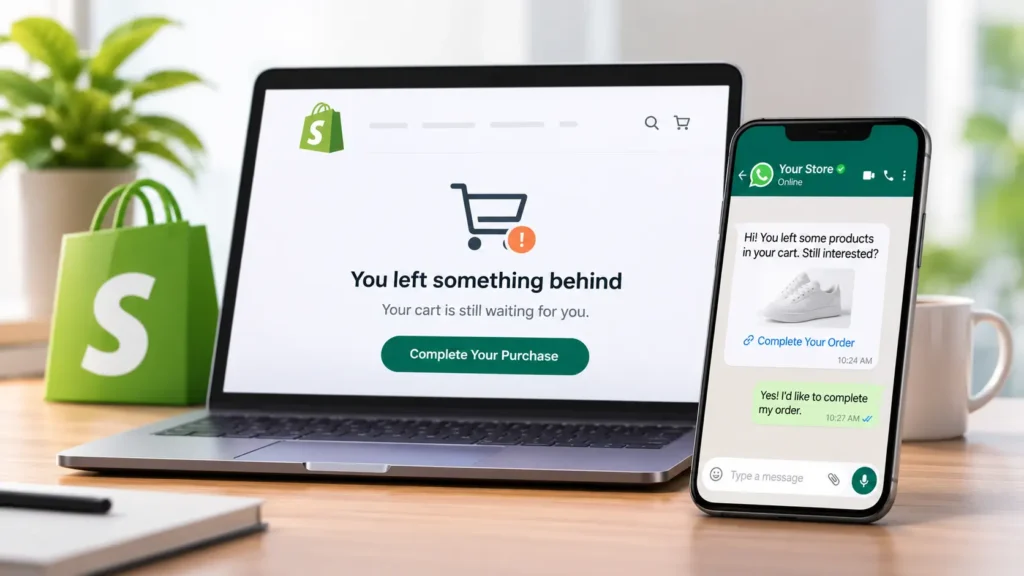
Instead of relying only on emails or manually contacting customers, you can use automated WhatsApp messages to remind shoppers about their unfinished purchases, answer their questions, and guide them back to checkout.
In this guide, we’ll explore how to recover abandoned checkout Shopify customers, why shoppers leave before completing orders, and how WhatsApp automation can help you turn more unfinished checkouts into completed sales.
What Is a Shopify Abandoned Checkout?
A Shopify abandoned checkout happens when a customer starts the checkout process, provides their contact information, but leaves without completing the purchase.
For example:
- A customer adds a pair of shoes to their cart.
- They proceed to checkout and enter their phone number or email.
- They check the delivery charges.
- They decide to think about it later and close the website.
The customer was interested enough to consider buying, but something stopped them from completing the order.
It’s important to understand that an abandoned checkout is different from an abandoned cart. An abandoned cart generally refers to someone who adds products to their cart but doesn’t start checkout. An abandoned checkout refers to someone who has actually started the checkout process.
Shopify provides an abandoned checkout section where merchants can review incomplete purchases and identify possible payment issues or other problems.
Why Do Customers Abandon Their Shopify Checkouts?
Before setting up any recovery campaign, you need to understand why customers leave.
Sending reminders without understanding the problem may not bring much improvement. Sometimes, customers simply need a reminder. Other times, they need an answer before they’re comfortable placing an order.
Here are some common reasons.
1. Unexpected Shipping Charges
A customer may like your product and its price, but when they reach checkout, they discover additional shipping costs.
If the total is higher than expected, they may decide not to continue.
2. Payment Problems
Sometimes customers experience declined cards, payment gateway errors, or difficulties using their preferred payment method.
Even customers who genuinely want to purchase may leave because they cannot complete the payment.
3. Lack of Trust
First-time buyers often have questions:
- Is this store trustworthy?
- Will I receive the same product shown in the pictures?
- What if I need to return it?
- Is Cash on Delivery available?
If your store doesn’t provide enough reassurance, customers may hesitate.
4. Customers Get Distracted
Not every abandoned checkout happens because of a problem.
Someone might receive a phone call, get busy with work, or simply forget to complete their purchase.
These customers may still be interested in buying. A well-timed reminder can bring them back.
5. Customers Want to Ask Questions First
This is especially common in fashion, electronics, beauty, and other product categories where customers need additional information.
They might want to confirm:
- Product size or availability
- Color options
- Delivery time
- Product specifications
- Return and exchange policies
When customers cannot find quick answers, they may leave without ordering.
Why Use WhatsApp Automation for Shopify Abandoned Checkout Recovery?
Email reminders are useful, but they aren’t always enough.
Customers may overlook promotional emails, ignore notifications, or forget about products they were considering.
WhatsApp gives Shopify merchants another communication channel to reconnect with potential buyers.
With WhatsApp automation, you can send personalized checkout reminders, share recovery links, answer customer questions, and provide assistance without manually messaging every customer.
Here is why it can be useful.
1. Send Automated Checkout Reminders
You don’t have to check your Shopify dashboard throughout the day to find customers who haven’t completed their purchases.
An automated workflow can identify eligible abandoned checkouts and trigger a WhatsApp reminder after a predefined waiting period.
For example:
“Hi Sarah! You left something behind. Your selected products are still waiting for you. Would you like to complete your purchase?”
You can include a checkout link so customers can return directly to the purchase process.
2. Make Conversations More Personal
A generic reminder doesn’t always address what the customer needs.
With personalized WhatsApp messages, you can include relevant information such as the customer’s name, product name, or checkout details, where supported by your integration.
For example:
“Hi Ahmed! You were checking out our Wireless Headphones. Do you have any questions about the product before placing your order?”
This makes the interaction feel more helpful than a standard promotional message.
3. Answer Questions Automatically
What if the customer wants to know whether a product is available in another size?
Instead of waiting for a support representative, an AI-powered WhatsApp assistant can answer common questions using your store’s product and FAQ information.
This is particularly useful when customers are shopping outside your business hours.
4. Reduce Manual Follow-Ups
Imagine receiving 50 or 100 abandoned checkouts every day.
Contacting every customer individually takes time, especially when your team is also managing new orders, customer queries, and deliveries.
WhatsApp automation helps reduce repetitive follow-up work by handling eligible reminders automatically.
Your team can focus on conversations that actually need human attention.
How to Recover Abandoned Checkout Shopify Customers Using WhatsApp Automation
Now let’s look at the practical process.
You don’t need to make your recovery strategy complicated. Start with a simple workflow and improve it as you understand your customers’ behaviour.
Step 1: Connect Your Shopify Store With a WhatsApp Automation Tool
First, choose a WhatsApp automation solution that integrates with Shopify and supports abandoned checkout recovery.
Your solution should ideally support:
- Shopify store integration
- Automated WhatsApp messages
- Abandoned checkout detection
- Personalized message templates
- Checkout recovery links
- Customer response handling
- Campaign performance tracking
If you’re looking for a free WhatsApp automation tool, compare its features carefully before connecting it to your store.
Some tools offer a free plan but charge separately for WhatsApp Business Platform messaging. Others may limit the number of automated conversations, contacts, or monthly messages.
Don’t choose a tool based on the word “free” alone. Check whether it supports the actual recovery workflow you need.
Step 2: Set Up Your WhatsApp Business Connection
To send automated messages through the official WhatsApp Business Platform, you need to configure your business account and connect an eligible phone number.
Depending on your chosen integration, you may need:
- A Shopify store
- A WhatsApp Business Platform account
- A Meta Business Portfolio
- A verified or eligible business phone number
- An active payment method for applicable Meta messaging charges
- The required Shopify app permissions
Follow the integration provider’s setup instructions carefully.
Also, make sure your customers have provided the required WhatsApp consent before receiving business-initiated messages.
Step 3: Create an Abandoned Checkout Trigger
Once your store is connected, configure an automation that detects when a customer starts checkout but doesn’t complete the purchase.
Your workflow should check whether:
- The checkout is still incomplete.
- The customer has a usable WhatsApp number.
- The customer has provided the required messaging consent.
- The order hasn’t already been completed.
- The checkout link is still valid.
This helps prevent unnecessary messages to customers who have already purchased.
Step 4: Choose the Right Time to Send Your First Message
Timing matters.
If you send a reminder immediately after someone leaves checkout, it might feel pushy. If you wait too long, the customer may have already purchased somewhere else.
A practical starting point is to test a sequence like this:
First reminder: After 30–60 minutes
Send a friendly reminder without offering a discount.
Second reminder: After 20–24 hours
If the customer hasn’t purchased, send a helpful follow-up that addresses possible questions.
Third reminder: After 48–72 hours
Consider a final reminder or a relevant incentive, if your margins allow it.
These are suggested testing intervals, not guaranteed optimal timings. Adjust them based on your customer behaviour, consent, messaging rules, and results.
Step 5: Write WhatsApp Messages That Encourage Customers to Return
Your message should sound like a helpful reminder, not an aggressive sales pitch.
Here are three examples you can adapt for your Shopify store.
Message 1: Friendly Reminder
“Hi {{first_name}}! You left some products in your checkout. Still interested? You can continue your purchase using the link below.
Complete your order: {{checkout_url}}”
Message 2: Customer Assistance
“Hi {{first_name}}! We noticed you didn’t complete your checkout. Do you have any questions about the product, delivery, or payment?
We’re happy to help you!”
Message 3: Final Follow-Up
“Hi {{first_name}}! Just checking in one last time. Your selected products caught your attention earlier. If you’re still interested, you can continue your checkout here:
{{checkout_url}}”
Always test your message variables and checkout links before activating the workflow.
Step 6: Use AI to Handle Customer Responses
This is where WhatsApp automation becomes more useful than simply sending reminders.
Suppose a customer replies:
“Is this product available in black?”
A basic automation might send a fixed response or ask the customer to contact support.
An AI-powered assistant can understand the question, check available product information, and provide a relevant answer.
Here are some examples:
| Customer question | Automated response |
|---|---|
| Is Cash on Delivery available? | Share the available payment options. |
| How long does delivery take? | Explain the store’s delivery policy. |
| Is this product available in medium? | Check product availability if inventory data is connected. |
| Can I return this item? | Share the return and exchange policy. |
| How can I complete my order? | Share the checkout link. |
The goal isn’t simply to send more messages. It’s to remove the reasons that stop customers from purchasing.
For complicated questions, payment issues, or requests requiring human judgment, provide an easy way to contact your support team.
Step 7: Track Your Checkout Recovery Performance
Once your automation is running, don’t just measure how many messages were sent.
Measure how many customers actually returned and completed their purchases.
Track these important metrics:
- Abandoned checkouts: Total number of incomplete checkouts.
- Messages delivered: Number of successfully delivered WhatsApp reminders.
- Customer responses: Number of customers who replied.
- Checkout clicks: Customers who clicked the recovery link.
- Recovered orders: Orders completed after the recovery campaign.
- Recovered revenue: Revenue generated from recovered orders.
You can calculate the checkout recovery rate using:
Checkout Recovery Rate = (Recovered Checkouts ÷ Total Eligible Abandoned Checkouts) × 100
For example, if you send reminders to 200 eligible abandoned checkouts and 30 customers complete their purchases, your recovery rate is 15%.
This is an illustrative example, not a guaranteed result.
How Haleria Helps Shopify Stores Recover Abandoned Checkouts
If you’re managing a Shopify store, you already know how much time goes into handling customer messages, order questions, and follow-ups.
Haleria AI Sales & Support is designed to help Shopify merchants automate customer communication through the official WhatsApp Business Platform and AI-powered support.
Instead of handling every interaction manually, merchants can use automation to manage different parts of the customer journey.
Some useful capabilities include:
Automated WhatsApp Communication
Haleria helps businesses automate customer communication through WhatsApp, reducing the need for repetitive manual follow-ups.
AI-Powered Customer Support
Customers can ask product-related questions and receive automated responses based on connected store information and business FAQs.
Product Discovery
Customers can explore products and get assistance finding suitable items through conversational interactions.
Order Status Assistance
Customers can ask about their orders and receive relevant tracking or order information when the required store data is available.
WhatsApp Order Confirmation
Haleria also supports automated order confirmation through WhatsApp, helping Shopify merchants manage Cash on Delivery orders more efficiently.
For stores that want to manage customer conversations and order communication from one place, these features can help simplify daily operations.
Want to explore how it works? Visit Haleria AI Sales & Support.
Best Practices to Improve Shopify Abandoned Checkout Recovery
Setting up automation is only the beginning. The quality of your messages and customer experience will determine how useful your recovery campaign becomes.
Here are some practices worth following.
1. Don’t Send Too Many Messages
Customers don’t want repeated reminders throughout the day.
Start with a small number of well-timed messages and stop the workflow immediately when an order is completed.
2. Personalize Your Messages
Use the customer’s name, relevant product information, and a clear checkout link where available.
Avoid sending the same generic message to every shopper.
3. Offer Discounts Strategically
Not every abandoned checkout needs a discount.
Sometimes customers only need clarification about shipping, payment, or product availability.
Save discounts for situations where they make commercial sense.
4. Make Your Checkout Experience Easier
Automation can bring customers back, but it cannot fix a confusing checkout process.
Review your shipping costs, payment options, delivery information, return policy, and mobile checkout experience.
5. Respect Customer Consent
Never assume that having someone’s phone number means you can send unlimited promotional WhatsApp messages.
Follow WhatsApp Business Platform policies, use approved templates where required, respect opt-outs, and provide appropriate customer support options.
6. Test Different Message Approaches
Try different message openings, waiting periods, and calls to action.
Compare the results rather than assuming that one message will work for every customer.
Common Mistakes to Avoid When Using WhatsApp Automation
Even a well-configured system can perform poorly if the recovery strategy isn’t managed properly.
Avoid these common mistakes:
- Sending messages without the required customer consent.
- Using unofficial WhatsApp connections instead of the official platform.
- Sending expired or incorrect checkout links.
- Offering discounts before understanding why customers abandoned checkout.
- Ignoring customer replies after sending automated reminders.
- Continuing to send reminders after a customer completes an order.
- Measuring message delivery instead of actual recovered purchases.
A good recovery strategy should make the buying experience easier, not create another problem for customers.
Final Thoughts
A Shopify abandoned checkout doesn’t always mean a lost customer. Sometimes shoppers just need a reminder, a quick answer, or a little reassurance before completing their purchase.
That’s why WhatsApp automation can be a valuable addition to your eCommerce marketing strategy.
By combining timely reminders, personalized communication, AI-powered support, and a smooth checkout experience, Shopify merchants can create a more effective way to reconnect with interested shoppers.
Start with a simple recovery workflow, monitor its performance, and improve it based on real customer behaviour.
The objective isn’t to send more messages. It’s to help more customers complete the purchases they already wanted to make.
Frequently Asked Questions (FAQs)
1. What is the best way to recover abandoned checkout Shopify customers?
One effective approach is to combine automated email reminders with WhatsApp follow-ups. WhatsApp automation can help merchants send timely reminders, answer customer questions, and share checkout links to make it easier for shoppers to complete their purchases.
2. Can WhatsApp automation recover abandoned checkouts automatically?
Yes. A compatible WhatsApp automation solution can detect eligible incomplete checkouts and send automated recovery messages. The setup must support Shopify checkout data, customer messaging consent, and the required WhatsApp Business Platform templates.
3. Is there a free WhatsApp automation tool for Shopify?
Some WhatsApp automation providers offer free plans with limited features or usage. However, check whether abandoned checkout recovery is included and whether WhatsApp messaging charges are separate.
4. How long should I wait before sending an abandoned checkout WhatsApp message?
A good starting point for testing is 30–60 minutes after checkout abandonment. You can test additional reminders after 20–24 hours and 48–72 hours, depending on customer behaviour and messaging permissions.
5. Can I send WhatsApp abandoned checkout messages without customer consent?
You should not assume that a phone number collected at checkout automatically gives you permission to send WhatsApp marketing messages. Follow applicable WhatsApp opt-in requirements and business messaging policies before initiating conversations.
6. What should an abandoned checkout WhatsApp message include?
A useful message can include the customer’s name, a friendly reminder, relevant product information, a direct checkout link, and an option to ask for help. Keep it short, clear, and relevant.
7. Does Shopify support abandoned checkout recovery?
Yes. Shopify offers abandoned checkout recovery features through Shopify Messaging. Its marketing automation options also include abandoned checkout recovery through supported channels, including email, SMS, and WhatsApp, subject to eligibility and configuration.
8. Can AI help recover abandoned checkouts?
Yes. AI-powered assistants can answer product questions, explain store policies, help customers understand payment or delivery options, and guide them back to checkout. Their usefulness depends on the accuracy of connected store information and the capabilities of the integration.
9. What is the difference between abandoned cart and abandoned checkout?
An abandoned cart occurs when someone adds products to their cart but doesn’t proceed to checkout. An abandoned checkout occurs when someone starts the checkout process but leaves before completing the purchase.
10. How can I measure the success of an abandoned checkout recovery campaign?
Track recovered orders, recovered revenue, message delivery, customer replies, checkout link clicks, and checkout recovery rate. Compare these metrics over time to understand which messages and timing work best for your store.