
Table of Contents
Yes. Shopify merchants can use order confirmation automation tools to trigger calls automatically after an order is placed.
Instead of asking a team member to open every new order, find the customer’s phone number, dial manually, and record the response, an automated Shopify order confirmation call can handle much of that process for you.
For a growing Shopify store, that can make a surprisingly big difference.
Imagine receiving 10 orders in a day. Calling those customers manually may be manageable. Now imagine receiving 100, 300, or even 1,000 orders. What was once a simple confirmation task can quickly become a full-time operation.
That is where automated order confirmation calls become useful.
In this guide, we’ll explain how Shopify order confirmation calls work, when merchants may want to use them, what a good order confirmation call script looks like, and how automation can fit alongside email and WhatsApp communication.
What Is a Shopify Order Confirmation Call?
A Shopify order confirmation call is a phone call made after a customer places an order on a Shopify store.
Its purpose is usually straightforward: confirm that the customer intended to place the order and, depending on the store’s workflow, verify important order details before fulfillment.
A confirmation call might say something as simple as:
“Hello, this is [Store Name]. We’re calling about your recent order. Please confirm that you would like us to process your order.”
The customer can then confirm the order or follow whatever response options the merchant has configured.
The exact workflow depends on the system being used.
Some businesses still make these calls manually. Others use automated calling tools that connect with their Shopify order workflow.
Shopify itself already uses event-based notifications throughout the order journey. For example, when a customer places an order, Shopify can automatically send the standard order confirmation notification. Shopify also supports other notifications triggered by events such as fulfillment, refunds, and shipping updates.
An automated calling tool extends that idea to the phone channel.
Can Shopify Order Confirmation Calls Be Automated?
Yes.
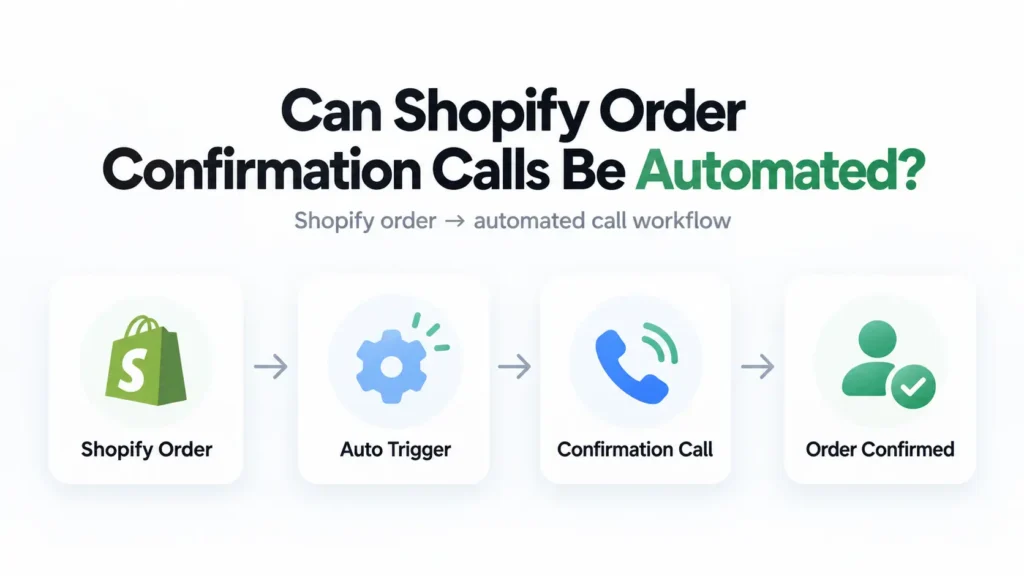
A Shopify merchant can connect an order confirmation automation solution that detects a new order and triggers a phone call according to predefined rules.
A basic workflow may look like this:
Customer places an order → Shopify records the order → automated call is triggered → customer responds → merchant uses the response in the order-processing workflow.
The merchant does not have to manually dial every number.
This is particularly useful when order volume grows beyond what a support team can comfortably handle.
It is important, however, to understand the difference between Shopify’s built-in notifications and third-party calling automation.
Shopify natively provides automated customer notifications such as order confirmation emails and certain SMS notifications. Custom calling workflows generally depend on an integrated service or app rather than Shopify’s standard email notification system.
How Does an Automated Shopify Order Confirmation Call Work?
Although each platform works differently, the underlying process is usually quite simple.
1. A Customer Places an Order
The process begins when someone completes checkout on your Shopify store.
Shopify creates the order and stores relevant information such as the order number, products, payment information, fulfillment status, and customer contact details.
Shopify describes newly placed orders as open orders that may still require actions such as payment processing or fulfillment.
2. The Automation Detects the New Order
An integrated order confirmation system can use the new order as the trigger for the next action.
Instead of an employee repeatedly checking Shopify for new orders, the workflow begins automatically.
Depending on the tool and configuration, merchants may also be able to apply rules so that only certain orders receive calls.
For example, a store might choose a confirmation workflow for selected order types rather than every purchase.
3. The Customer Receives an Order Confirmation Call
The system then calls the customer’s provided phone number.
The message should immediately make it clear:
- which store is calling;
- why the customer is being contacted;
- which order the call relates to; and
- what the customer needs to do next.
Keeping this part simple matters.
A confirmation call should not feel like a complicated customer-service menu.
4. The Customer Responds
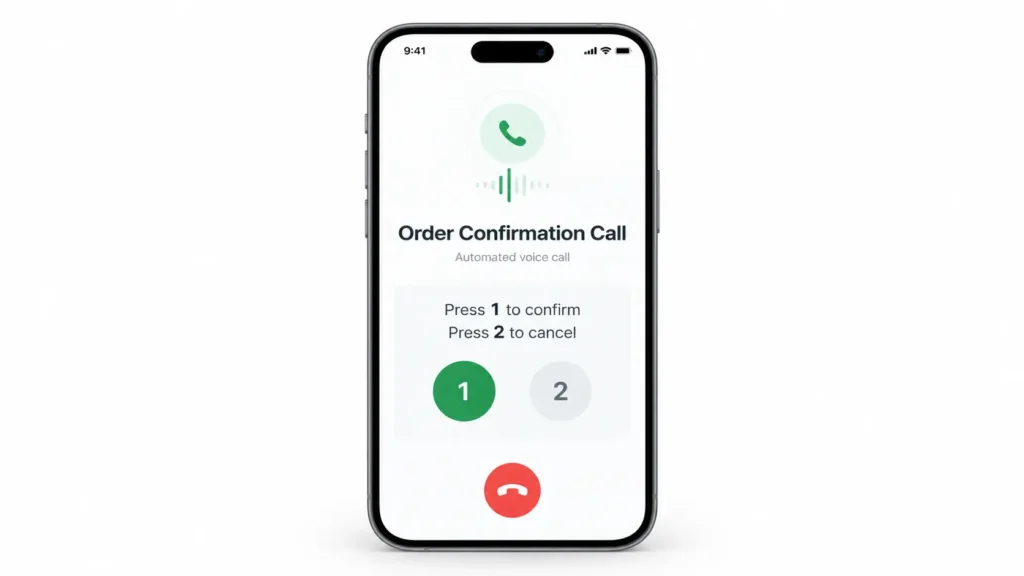
Depending on the calling setup, the customer might be asked to confirm the order, reject it, request assistance, or provide another supported response.
For example:
Press 1 to confirm your order.
Press 2 if you need help with your order.
The important thing is that the customer knows exactly what each option means.
5. The Store Continues Processing the Order
The confirmation result can then become part of the merchant’s order-management workflow.
For example, confirmed orders may continue toward fulfillment while orders requiring attention can be reviewed by the store team.
Shopify already provides merchants with order, payment, and fulfillment statuses for organizing order processing. Merchants can use those statuses and related workflows to identify orders that still require action.
Why Automate Order Confirmation Calls?
Automation is not simply about making more phone calls.
The real value is reducing repetitive work while giving customers a consistent confirmation experience.
Less Manual Calling
Consider a store receiving 200 orders.
If a manual confirmation takes even two minutes per order, that represents more than six hours of calling.
And that calculation does not include:
- unanswered calls;
- repeat attempts;
- recording responses;
- searching for order numbers;
- updating customer information; or
- handling follow-up questions.
Automation can remove a large portion of that repetitive work.
Faster Customer Contact
An automated call can potentially be triggered soon after an order is received instead of waiting until a staff member reaches it in a call list.
For some businesses, contacting customers closer to the time of purchase may make the confirmation easier for customers to understand because the order is still fresh in their mind.
A Consistent Order Confirmation Call Script
Manual calls naturally vary.
One employee might explain everything perfectly. Another might forget to mention the order reference. A third may use completely different wording.
Automation allows the store to use a consistent order confirmation call script.
Every customer can receive the same essential information and confirmation instructions.
Easier Scaling
Manual processes usually become harder as sales grow.
If sales double, the number of confirmation calls can also increase substantially.
Automation can help a store increase order volume without increasing manual confirmation work at exactly the same rate.
What Should an Order Confirmation Call Script Include?
An order confirmation call script should be short, clear, and immediately understandable.
Customers should not have to listen to a long introduction before learning why they are being called.
A useful script normally contains five elements.
Identify Your Store
Begin with the store or brand name.
Customers are much more likely to understand a call when they immediately know who is contacting them.
Explain the Reason for the Call
Tell them that the call relates to a recent order.
Avoid unnecessary technical language.
Mention the Relevant Order
Where appropriate and supported by your setup, you can reference an order number or basic order information.
Avoid reading unnecessary personal or sensitive information aloud.
Give One Clear Action
Tell the customer exactly what they need to do.
For example:
“Press 1 to confirm.”
Clear options are better than lengthy instructions.
Provide a Support Route
Not every order can be handled by automation.
Customers may have entered the wrong address, selected the wrong product, or simply have a question.
Make it possible for exceptions to reach the appropriate support process.
Simple Order Confirmation Call Script Example
Here is a straightforward example:
“Hello, this is an order confirmation call from [Store Name]. We received your recent order [Order Reference]. Please press 1 to confirm your order. If you need assistance with your order, press 2. Thank you for shopping with [Store Name].”
Notice what the script does not contain.
It does not deliver a sales pitch.
It does not add unnecessary information.
It simply identifies the business, explains why the call was made, and tells the customer what to do.
That is usually the best approach.
Should You Mention Products in the Call?
Sometimes, but not always.
A merchant selling only a few products may find a short product reference useful.
For example:
“Your order for the Classic Backpack has been received.”
But reading several product names, quantities, variants, prices, addresses, and shipping information can quickly turn a short order confirmation call into an unnecessarily long call.
A practical approach is to provide enough information for the customer to recognize the order without reading every field stored in Shopify.
Automated Order Confirmation Call vs Email Confirmation
Shopify already provides automatic order confirmation notifications.
When an order is placed, Shopify can send an order confirmation notification to the customer.
So why would a merchant need a phone call?
The two channels serve different purposes.
An email is excellent for giving customers information they may need to reference later, including detailed order information.
A call is more useful when the merchant needs an immediate response or confirmation.
For many stores, the question should therefore not be:
“Should we use email or calls?”
A better question is:
“Which communication method should handle each part of our customer journey?”
Shopify Order Confirmation Call vs WhatsApp
WhatsApp introduces another useful communication channel.
Unlike a phone call, WhatsApp allows customers to read and respond to a message when convenient.
A call, however, can provide another contact method when a merchant specifically wants phone-based confirmation.
This is why a multi-channel approach can make sense.
For example:
Order placed → WhatsApp message → customer responds → order continues
or:
Order placed → WhatsApp message → no response → automated confirmation call
The best sequence depends on how the store operates and how customers prefer to communicate.
Can Haleria Automate Shopify Order Confirmation Calls?
Yes.
Haleria, for example, can automate order confirmation calls alongside WhatsApp-based order communication.
Instead of treating voice calls as a completely separate process, merchants can use them as part of a broader customer communication workflow.
For example, a store could use WhatsApp for its primary order communication while using an automated call when phone confirmation is useful.
The goal is not to call customers unnecessarily.
The goal is to choose the right channel at the right point in the order journey while reducing repetitive work for the store team.
For merchants already handling order confirmation manually, this type of workflow can turn a repetitive task into a more structured process.
When Should a Shopify Store Consider Automated Confirmation Calls?
Automation makes the most sense when there is a genuine operational reason for confirming orders.
You might consider an automated Shopify order confirmation call if:
- your team spends significant time calling customers manually;
- your daily order volume is increasing;
- confirmation is an established part of your fulfillment process;
- your customers regularly need an alternative to email or messaging;
- you want a consistent order confirmation process; or
- you already use several communication channels and want calls to become part of the same workflow.
That does not mean every Shopify store needs confirmation calls.
A merchant selling digital downloads, for example, may have very different requirements from a merchant shipping physical goods.
Automation should solve an actual workflow problem rather than being added simply because the technology exists.
Best Practices for Automated Order Confirmation Calls
Keep the Call Short
Customers placed an order; they did not sign up for a lengthy phone menu.
Get to the point quickly.
Clearly Identify Your Business
Never make customers guess who is calling.
Mention the store name near the beginning of the call.
Use Natural Language
Compare these two phrases:
“Input confirmation status by depressing numerical keypad option one.”
and:
“Press 1 to confirm your order.”
The simpler version wins.
Every time.
Avoid Asking for Sensitive Information
An order confirmation call should not ask customers to reveal passwords, full payment card information, or other sensitive credentials.
The call should focus on the specific confirmation action required.
Give Customers a Way to Get Help
Automation works well for predictable situations.
Humans are still important when something unexpected happens.
Build a clear route for customers who need assistance.
Don’t Call Customers More Than Necessary
Automation makes calling easier, but that does not mean stores should repeatedly contact customers.
Set sensible calling rules and respect customer communication preferences.
Review Local Calling and Privacy Requirements
Calling requirements differ depending on the country, purpose of the call, and whether the communication is transactional or promotional.
This distinction matters.
For example, UK ICO guidance says automated marketing calls require specific consent and must meet identification requirements. Transactional order communications can involve a different analysis, so merchants should determine which rules apply to their specific use case rather than assuming all automated calls are treated identically.
If you operate internationally, review the requirements in every market where you call customers.
Common Mistakes to Avoid
Turning the Confirmation Call Into a Marketing Call
A customer expecting information about an order should not suddenly receive an unrelated promotional pitch.
Keep transactional communication focused on the transaction.
Writing an Overly Long Script
A twenty-second message that customers understand is usually more effective than an elaborate two-minute introduction.
Giving Too Many Options
“Press 1, press 2, press 3, press 4…” quickly becomes frustrating.
Only include options customers genuinely need.
Using the Same Workflow for Every Order
Different businesses have different risks and fulfillment processes.
Think about which orders genuinely require confirmation instead of automatically adding unnecessary steps to every purchase.
Ignoring Customers Who Don’t Respond
Automation should include an exception workflow.
Decide beforehand what happens when a customer does not answer.
Perhaps the store sends a WhatsApp message, places the order into a review queue, or asks a support agent to follow up.
The important thing is having a defined next step.
Is Shopify Order Confirmation Call Automation Worth It?
It depends on your order volume and workflow.
If your team rarely makes confirmation calls, adding another system may not provide much benefit.
But if employees spend hours every week manually confirming orders, automation is worth evaluating.
A simple way to judge it is to calculate:
Number of confirmation calls per month × average handling time
For example:
1,000 calls × 2 minutes = 2,000 minutes
That is more than 33 hours of manual calling before counting unsuccessful attempts or administrative work.
Once the workload reaches that level, automation becomes less about having another Shopify feature and more about removing a repetitive operational bottleneck.
Final Thoughts
So, can Shopify order confirmation calls be automated?
Yes. Shopify merchants can use order confirmation automation tools to trigger calls automatically after an order is placed.
The bigger question is how those calls should fit into your customer experience.
A good Shopify order confirmation call should be short, relevant, easy to understand, and connected to a clear business workflow.
Start by deciding:
- which orders actually need confirmation;
- when customers should be called;
- what your order confirmation call script should say;
- what happens when a customer confirms;
- what happens when a customer does not answer; and
- whether another channel such as WhatsApp should be used first or alongside the call.
Once those rules are clear, automating the calls becomes much easier.
And if you want calls and WhatsApp communication to work together rather than operating as separate systems, a platform such as Haleria can bring automated order confirmation calls into the same broader Shopify customer communication workflow.
Frequently Asked Questions
Can Shopify automatically call customers after an order?
Shopify’s standard customer notification system focuses primarily on channels such as email and supported SMS notifications. Merchants wanting automated phone calls can use an integrated calling solution that triggers calls based on new Shopify orders.
What is a Shopify order confirmation call?
A Shopify order confirmation call is a phone call made after an order is placed to confirm the customer’s order or collect a predefined response before the merchant continues its order-processing workflow.
What should an order confirmation call script say?
A good order confirmation call script should identify your store, explain that the call relates to a recent order, provide enough information to identify the order, and give the customer a simple confirmation or support option.
Can order confirmation calls be automated?
Yes. An automation tool can trigger an order confirmation call when a qualifying Shopify order is created, reducing the need for employees to call every customer manually.
Can I use both WhatsApp and automated calls for Shopify orders?
Yes. Merchants can design multi-channel workflows in which customers are contacted through WhatsApp and an automated call is used when appropriate. The exact workflow depends on the platform and configuration being used.
Does Shopify have built-in automated order confirmation calls?
Shopify provides built-in customer notifications such as automated order confirmation emails and supported SMS notifications. Automated voice-call workflows generally require an integrated service or application.
When should an order confirmation call be sent?
That depends on the store’s fulfillment process. If confirmation is required, merchants generally benefit from making the request before the order reaches the stage where fulfillment becomes difficult or costly to change.
Are automated order confirmation calls legal?
Rules vary by country, the nature of the call, the customer’s relationship with the business, and whether the call contains marketing. Merchants should review the rules applicable to their market. For example, the UK’s ICO has specific requirements for automated marketing calls.
How long should an order confirmation call be?
Keep it as short as possible while giving customers enough information to understand the purpose of the call and respond correctly. Avoid turning a simple confirmation into a lengthy phone menu.
What happens if the customer does not answer?
That should be defined in your workflow. Depending on your business, you might retry according to reasonable rules, send a WhatsApp message, send another permitted notification, or send the order to your team for manual review.