
Table of Contents
Running a Shopify store is exciting until your inbox starts filling up with the same questions every day:
“Is my order confirmed?”
“Where is my parcel?”
“Can I pay cash on delivery?”
“Is this product available?”
“I added it to my cart yesterday. Can I still order?”
When you’re handling a few orders, answering these messages manually isn’t a big problem. But once your store starts growing, WhatsApp conversations can quickly become another full-time job.
That’s exactly why Shopify merchants are turning to WhatsApp automation.
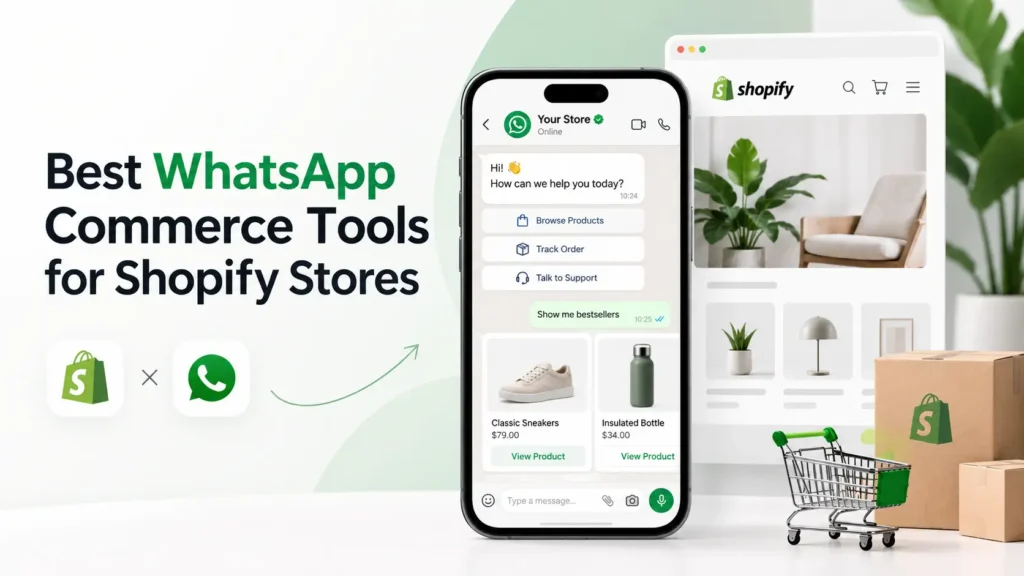
The best WhatsApp commerce tools for Shopify stores don’t simply add a WhatsApp button to your website. They connect WhatsApp with your Shopify store so customer conversations can become part of your actual sales, support and order-management process.
You can automatically confirm orders, recover abandoned checkouts, verify COD customers, send shipping updates, answer common questions and follow up after delivery.
In this guide, we’ll look at some of the best WhatsApp commerce tools for Shopify stores, including Haleria, Wati, Zoko and Interakt.
More importantly, I’ll explain which type of Shopify store each tool makes the most sense for, because choosing WhatsApp software should never be about finding the platform with the longest feature list.
It should be about solving the biggest communication problem in your store.
What Are WhatsApp Commerce Tools for Shopify?
A WhatsApp commerce tool connects your Shopify store with WhatsApp so customer conversations can respond to events happening inside your store.
Imagine a customer places a cash-on-delivery order.
Without automation, your team may have to call the customer manually to verify the order.
With WhatsApp automation for Shopify, the customer can receive an automated confirmation message asking them to confirm or cancel the order.
The same idea applies throughout the customer journey.
For example:
- A shopper abandons checkout → WhatsApp recovery message
- A customer places an order → WhatsApp confirmation
- An order is shipped → Tracking notification
- A customer asks about an order → Automated order information
- An order is delivered → Review request
- A customer asks a common question → Automated support response
That is why the best WhatsApp commerce tools for Shopify stores are much more useful than a basic WhatsApp chat widget.
A chat button starts a conversation.
Commerce automation connects that conversation to the customer’s shopping journey.
Why Shopify Stores Are Using WhatsApp for Commerce
Think about how people actually shop online.
Customers don’t always visit a website, select a product and immediately complete their purchase.
They hesitate.
They compare.
They ask questions.
They leave their cart.
They return later.
Even after buying, they may want to know when their order will arrive.
WhatsApp gives ecommerce businesses an opportunity to continue that conversation in a channel customers already use.
A well-configured Shopify WhatsApp system can help automate:
- Order confirmations
- COD verification
- Abandoned checkout recovery
- Product enquiries
- Shipping notifications
- Order tracking
- Customer support
- Product recommendations
- Review requests
- Repeat-purchase reminders
- Customer re-engagement
But the important word here is automation.
If every Shopify order still requires someone from your team to manually copy customer information and send WhatsApp messages, you haven’t really solved the operational problem.
The real benefit comes when your Shopify store and WhatsApp workflows work together.
WhatsApp Business App vs WhatsApp Business API for Shopify
Before choosing among the best WhatsApp commerce tools for Shopify stores, you need to understand the difference between the WhatsApp Business app and the WhatsApp Business Platform/API.
WhatsApp Business App
The standard WhatsApp Business app can work well for a small business handling customer conversations manually.
You can:
- Create a business profile
- Answer customer messages
- Set basic automated greetings
- Create quick replies
- Organise conversations
For a small store, that might be enough.
But once order volume grows, managing every conversation manually becomes difficult.

WhatsApp Business API for Shopify
The WhatsApp Business API for Shopify makes more advanced integrations possible.
Instead of WhatsApp operating separately from Shopify, businesses can connect messaging with ecommerce events and automation platforms.
That can enable workflows such as:
- Automated order confirmation
- Cart recovery
- Shipping alerts
- Multi-agent customer support
- Customer segmentation
- Automated FAQs
- Product recommendations
- Review requests
For a growing Shopify store, this difference matters.
You shouldn’t choose an app simply because it puts a green WhatsApp icon in the corner of your website.
If WhatsApp is going to become part of your sales and support operation, look for deeper Shopify integration.
How We Compared the Best WhatsApp Commerce Tools for Shopify Stores
There are plenty of WhatsApp tools available.
But ecommerce merchants don’t need another giant feature checklist.
They need something that solves real problems.
For this comparison of the best WhatsApp commerce tools for Shopify stores, the most important areas are:
Shopify Integration
Can the platform connect customer, checkout, order and product information with WhatsApp workflows?
WhatsApp Automation
Can repetitive conversations happen automatically without requiring an employee to send every message?
Abandoned Checkout Recovery
Can the platform follow up with customers who leave before completing their purchase?
Order Confirmation
Can Shopify orders trigger automated WhatsApp confirmations?
COD Verification
Can cash-on-delivery customers verify their orders before fulfilment?
Customer Support
Can common questions be answered automatically while still allowing human support when needed?
Order Tracking
Can customers receive shipping or order-status information through WhatsApp?
Team Inbox
Can multiple support or sales agents manage conversations?
Scalability
Will the platform still make sense when your order and conversation volume increases?
These criteria make comparing Shopify WhatsApp tools much more practical.
1. Haleria – Best for Shopify Order Automation, COD Confirmation and AI Support
Haleria is designed around a problem many growing Shopify merchants eventually experience:
Too many repetitive customer interactions.
A customer wants to confirm an order.
Another wants tracking information.
Someone abandoned checkout.
Another customer is asking a question that your support team has already answered dozens of times today.
Instead of treating each conversation as a completely separate support ticket, Haleria connects WhatsApp communication with Shopify sales and support workflows.
Haleria WhatsApp Automation for Shopify
Haleria can be used for workflows including:
- WhatsApp order confirmation
- COD order verification
- Abandoned checkout recovery
- Order and shipment tracking
- Review requests
- Automated customer responses
- AI-powered customer support
- WhatsApp customer engagement
- AI web chat
This makes Haleria particularly relevant when merchants are evaluating the best WhatsApp commerce tools for Shopify stores based on operational automation rather than only promotional campaigns.
Shopify Order Confirmation on WhatsApp
One useful workflow is automated order confirmation.
After a customer places an order, WhatsApp can become an additional confirmation channel instead of forcing your staff to manually contact every customer.
This is especially useful for businesses with significant cash-on-delivery order volume.
COD Order Verification
COD can generate sales, but it can also create operational problems.
Customers may:
- Enter incorrect contact details
- Place duplicate orders
- Change their mind
- Become unreachable
- Refuse delivery
By adding automated confirmation before fulfilment, a merchant gets another signal that the customer genuinely intends to receive the order.
That can make the fulfilment process more organised.
Abandoned Checkout Recovery
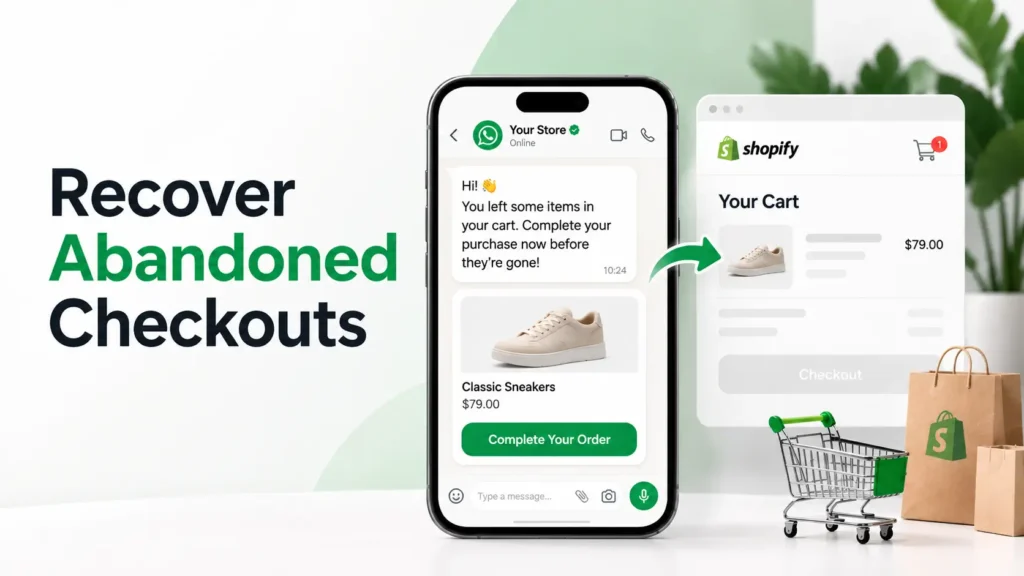
Haleria can also be used to reconnect with shoppers who begin checkout but do not finish purchasing.
Instead of losing the conversation entirely, an automated WhatsApp reminder can give customers an easy route back to the store.
AI Customer Support
Another useful part of the platform is automated customer responses.
Simple questions shouldn’t always require a support agent.
If a customer asks about order status, delivery information or another common question, automation can handle the repetitive part of the conversation while more complicated issues can move to human support.
Who Should Consider Haleria?
Haleria is particularly relevant for Shopify stores looking for a combination of:
WhatsApp sales automation + COD verification + abandoned checkout recovery + order communication + AI customer support.
If your biggest ecommerce headaches are fake COD orders, abandoned checkouts and repetitive support queries, Haleria is worth evaluating.
2. Wati – Strong for WhatsApp Marketing and Shopify Automation
Wati is another established platform businesses use for WhatsApp customer communication.
For Shopify merchants, it provides automation and customer-engagement capabilities around ecommerce workflows.
Its Shopify integration supports functionality around abandoned-cart communication, order-related messaging, customer syncing and catalog experiences.
What Shopify Stores Can Use Wati For
Depending on the setup, merchants may use Wati for:
- WhatsApp automation
- Abandoned cart communication
- Order notifications
- Customer campaigns
- Shopify customer segmentation
- Team conversations
- Product catalogs
- Automated customer journeys
If you’re comparing the best WhatsApp commerce tools for Shopify stores mainly because you want broader marketing and customer-engagement automation, Wati is one platform worth researching.
Who Should Consider Wati?
Wati can make sense for growing stores that want to combine ecommerce communication with:
- Customer segmentation
- WhatsApp broadcasts
- Automated journeys
- Marketing campaigns
In other words, Wati’s appeal extends beyond transactional Shopify notifications into broader customer engagement.
3. Zoko – Best Suited to WhatsApp-First Commerce
Some stores use WhatsApp mainly for customer support.
Others want WhatsApp itself to become an important sales channel.
Zoko is more relevant to the second category.
The platform takes a commerce-focused approach where businesses can use WhatsApp for customer conversations, marketing, product discovery and sales workflows.
What Zoko Can Be Used For
Shopify merchants evaluating Zoko may be interested in features around:
- WhatsApp commerce
- Abandoned cart recovery
- Product catalog communication
- Order updates
- Customer support
- Team conversations
- Customer campaigns
- COD-related workflows
- Product recommendations
This makes it different from a simple notification tool.
The goal is closer to creating a shopping experience around customer conversations.
Who Should Consider Zoko?
Zoko may be worth considering if a large percentage of your customers prefer discussing products before they purchase.
For example, businesses selling products where customers frequently ask about:
- Sizes
- Variations
- Availability
- Product suitability
- Recommendations
may benefit from a more conversation-driven commerce model.
If you’re choosing among the best WhatsApp commerce tools for Shopify stores because you want customers to interact with your brand heavily inside WhatsApp, Zoko belongs on your shortlist.
4. Interakt – Strong for Shopify WhatsApp Marketing and Commerce
Interakt is another WhatsApp platform with a dedicated Shopify integration.
Its current Shopify offering focuses on customer acquisition, product recommendations, customer engagement, catalog syncing, order management and automated support.
Interakt Shopify Features
Current capabilities promoted by Interakt include:
- Automated customer support
- WhatsApp notifications
- Shopify catalog syncing
- Order tracking
- Product recommendations
- WhatsApp campaigns
- Customer segmentation
- Shared team inbox
- Automated workflows
Interakt also promotes automation for different customer journeys, including Shopify-related sales and support use cases.
Who Should Consider Interakt?
Interakt may be a good fit if your priority is combining WhatsApp commerce with:
- Promotional campaigns
- Product catalogs
- Customer segmentation
- Automated support
- Order-management communication
Stores that rely heavily on repeat customers and promotional WhatsApp campaigns may find those capabilities particularly useful.
Best WhatsApp Commerce Tools for Shopify Stores Compared
Choosing the right platform gets easier once you stop asking:
“Which tool has the most features?”
and start asking:
“Which problem costs my Shopify store the most money or time?”
Here’s a simple way to think about the options.
Choose Haleria If:
Your biggest priorities are:
- Shopify order confirmation
- COD verification
- Abandoned checkout recovery
- AI customer support
- Order tracking
- Post-purchase communication
Consider Wati If:
Your priorities include:
- Customer segmentation
- WhatsApp marketing campaigns
- Automated journeys
- Shopify customer engagement
Consider Zoko If:
Your goal is:
- WhatsApp-first commerce
- Conversational selling
- Product discovery inside WhatsApp
- Sales through customer conversations
Consider Interakt If:
You need:
- Shopify catalog integration
- WhatsApp campaigns
- Order-management automation
- Customer segmentation
- Automated support
Ultimately, the best WhatsApp commerce tools for Shopify stores aren’t necessarily the ones with the longest list of features.
The best platform is the one that removes the biggest bottleneck from your store.
Important Features to Look for in Shopify WhatsApp Tools
Before choosing your platform, look beyond marketing claims.
Here are the features that matter in day-to-day ecommerce operations.
Native or Deep Shopify Integration
Your WhatsApp platform should understand relevant activity inside Shopify.
Depending on the platform, this might include:
- New orders
- Checkout activity
- Fulfilment updates
- Product information
- Customer data
- Shipping events
- Order cancellation
The better your Shopify integration, the less information your team needs to transfer manually.
Automated WhatsApp Order Confirmation
Order confirmation is one of the simplest but most useful ecommerce automations.
A customer places an order and receives an automated WhatsApp confirmation.
For COD stores, you can take this further by creating a confirmation workflow.
For example:
Order placed → WhatsApp confirmation → Customer confirms → Fulfilment proceeds
This gives both customers and merchants greater clarity.
COD Verification for Shopify
COD remains important in many ecommerce markets.
But it also creates risk because the merchant normally ships before collecting payment.
That is why COD verification is becoming an important feature when choosing the best WhatsApp commerce tools for Shopify stores.
A verification workflow gives customers another opportunity to confirm that they genuinely want the parcel before shipping.
This won’t eliminate every failed delivery, but it can make order verification more systematic.
Abandoned Cart and Checkout Recovery
Someone visited your store.
They liked the product enough to add it to their cart.
They may even have entered their contact information.
Then they disappeared.
That customer already showed purchase intent.
This is where WhatsApp automation for Shopify becomes particularly interesting.
A relevant follow-up can remind the customer about their unfinished purchase and provide an easy route back to checkout.
The important thing is not to overdo it.
A useful reminder feels helpful.
Five repeated messages feel like spam.
Automated Order Tracking
Think about how many support conversations start with:
“Where is my order?”
Your support team then has to:
- Ask for customer information
- Search for the order
- Check the shipping status
- Copy the information
- Reply to the customer
Now multiply that by dozens or hundreds of customers.
A connected WhatsApp system can reduce repetitive work by bringing order information closer to the customer conversation.
AI and Automated Customer Support
Not every support question needs a human.
Customers frequently ask similar questions:
- How long is delivery?
- Do you offer COD?
- Where is my order?
- Can I change my order?
- What is your return policy?
- Is this product available?
Automation can handle simple questions quickly.
However, there should always be a sensible route to a real support agent when the customer’s problem becomes more complicated.
The goal isn’t to replace good customer service.
The goal is to stop your support team from spending most of its day answering the same five questions.
Shared Team Inbox
One phone is fine when you’re receiving ten conversations.
It becomes a mess when several employees need access to hundreds of customer chats.
A shared inbox allows multiple employees to manage WhatsApp conversations from a business workflow.
Depending on the platform, teams may be able to:
- Assign conversations
- Track customer history
- Add notes
- Transfer conversations
- Separate sales and support queries
This becomes increasingly important as a Shopify business grows.
Customer Segmentation
Sending the same message to every customer is rarely the best strategy.
Imagine these three customers:
Customer A: Abandoned checkout yesterday.
Customer B: Bought from you five times.
Customer C: Placed their first order ten minutes ago.
All three customers are at completely different stages of the buying journey.
Good WhatsApp automation for Shopify should allow communication to become more relevant to customer behaviour.
Human Handover
This feature is easy to underestimate.
Automation works brilliantly until it encounters something it doesn’t understand.
A customer may have:
- A damaged order
- An unusual return request
- A payment problem
- A complicated product question
- An urgent delivery issue
At that point, forcing the person through another ten automated messages creates frustration.
The strongest ecommerce automation systems know when automation should stop.
How to Choose the Best WhatsApp Commerce Tool for Your Shopify Store
Don’t start by comparing pricing plans.
Start by writing down your biggest problem.
Ask yourself:
Are We Losing Too Many Abandoned Checkouts?
Prioritise cart and checkout recovery.
Are Fake or Unconfirmed COD Orders Costing Us Money?
Prioritise automated order verification.
Is Our Support Team Repeating the Same Answers All Day?
Prioritise automation and AI customer support.
Do Customers Constantly Ask for Tracking Updates?
Prioritise Shopify order and fulfilment integration.
Are We Trying to Generate More Repeat Purchases?
Prioritise segmentation, campaigns and post-purchase automation.
Do Customers Frequently Need Advice Before Buying?
Prioritise conversational commerce and product-recommendation functionality.
This approach makes choosing among the best WhatsApp commerce tools for Shopify stores much easier.
You’re no longer comparing software.
You’re comparing solutions to a specific business problem.
A Practical Shopify WhatsApp Automation Workflow
Let’s look at what a connected customer journey could look like.
Step 1: Customer Visits Your Shopify Store
The shopper browses products and decides whether to purchase.
Step 2: Customer Starts Checkout
They provide relevant information but don’t necessarily complete the transaction.
Step 3: Checkout Is Abandoned
Where appropriate and permitted, an automated WhatsApp recovery workflow can follow up.
Step 4: Customer Returns and Purchases
Shopify records the order.
Step 5: Order Confirmation
The customer receives an automated WhatsApp confirmation.
Step 6: COD Verification
If required, COD customers can be asked to verify their order.
Step 7: Fulfilment and Shipping
Customers can receive updates as their order progresses.
Step 8: Customer Needs Help
Automation handles common questions, while complicated conversations are escalated.
Step 9: Order Is Delivered
The customer can receive a review or feedback request.
This is what WhatsApp automation for Shopify should achieve.
Not more messages.
Better customer journeys.
WhatsApp Business API for Shopify: What Merchants Should Understand
If you’re planning serious WhatsApp automation, you’ll eventually come across the WhatsApp Business API for Shopify.
The important thing to understand is that business messaging isn’t simply unlimited texting.
Businesses should pay attention to WhatsApp’s messaging policies, customer consent requirements and template rules.
For business-initiated messaging, opt-in and approved templates can be important depending on the message and conversation context. Businesses should also provide sensible opt-out and human-support options.
That means your WhatsApp strategy shouldn’t be:
“Upload every phone number we have and message everyone.”
Instead, think:
Right customer + right message + right moment.
That’s better for compliance and usually better for conversion too.
Avoid Turning WhatsApp Automation Into Spam
Automation makes sending messages easy.
That doesn’t mean you should send more messages.
Suppose someone abandons a checkout.
One useful reminder may help.
Repeated reminders, unrelated promotions and constant discounts may simply encourage the customer to mute or block your business.
Good automation should feel like useful customer service.
Ask yourself:
Would this message genuinely help the customer right now?
If the answer is no, don’t send it just because your automation platform allows you to.
Is WhatsApp Automation Worth It for Shopify Stores?
For many stores, the answer depends on volume.
If you receive five orders per month, you probably don’t need an advanced automation setup.
But imagine you’re processing hundreds of orders.
Without automation:
Order placed → employee checks order → employee contacts customer → employee updates records
With automation:
Order placed → confirmation workflow triggered automatically
Without automation:
Customer abandons checkout → customer disappears
With automation:
Checkout abandoned → relevant recovery workflow → customer gets another route back
Without automation:
Customer asks about shipping → support agent searches Shopify
With automation:
Customer conversation connects with order information
The value becomes clearer as your order and conversation volume grows.
WhatsApp Commerce Should Support the Entire Customer Journey
One common mistake is using WhatsApp only for promotions.
That misses most of the opportunity.
WhatsApp can support different stages of the ecommerce journey.
Before Purchase
Use it for:
- Product questions
- Product recommendations
- Availability enquiries
- Customer support
During Purchase
Use it for:
- Checkout assistance
- Abandoned checkout recovery
- Order confirmation
- COD verification
After Purchase
Use it for:
- Shipping updates
- Order tracking
- Support
- Returns assistance
After Delivery
Use it for:
- Review requests
- Feedback
- Repeat-purchase communication
- Relevant customer re-engagement
When evaluating the best WhatsApp commerce tools for Shopify stores, think about how much of this customer journey each platform can support.
Common Mistakes Shopify Stores Make With WhatsApp Automation
Choosing a Tool Based Only on Price
The cheapest platform isn’t cheap if it doesn’t solve your actual problem.
Look at the time or revenue you’re losing before comparing subscription prices.
Sending Too Many Promotional Messages
WhatsApp feels more personal than email.
Treat it that way.
Ignoring Customer Consent
Having someone’s phone number doesn’t automatically mean every type of WhatsApp message is appropriate.
Build proper opt-in practices into your workflow.
Automating Everything
Some conversations need a human.
Design automation with escalation in mind.
Using WhatsApp Separately From Shopify
If employees still have to manually search orders and copy information between systems, much of the value of automation disappears.
Measuring Messages Instead of Business Results
Don’t celebrate because your platform sent 50,000 WhatsApp messages.
Measure things such as:
- Checkout recovery
- Confirmed orders
- Support resolution time
- Customer response rate
- COD confirmation rate
- Repeat purchases
- Support workload
Those metrics tell you whether automation is actually helping the business.
Which of the Best WhatsApp Commerce Tools for Shopify Stores Should You Choose?
There is no universal winner because Shopify stores operate differently.
A store dealing with large numbers of cash-on-delivery orders has very different requirements from a subscription brand focused on repeat purchases.
A fashion retailer may receive hundreds of product questions.
An electronics store may care more about order verification.
A beauty brand may care more about retention and customer campaigns.
That’s why I would approach the decision this way:
Choose Haleria if Shopify order automation, COD confirmation, abandoned checkout recovery, order tracking and AI customer support are your main priorities.
Consider Wati if segmentation, WhatsApp campaigns and broader customer-engagement workflows are central to your strategy.
Consider Zoko if you want WhatsApp itself to become a significant conversational commerce channel.
Consider Interakt if Shopify catalogs, customer campaigns, product recommendations and automated support are important to you.
The best WhatsApp commerce tools for Shopify stores should ultimately reduce friction for both the merchant and the customer.
Final Thoughts
WhatsApp is most valuable to ecommerce businesses when it stops being just another inbox.
The real opportunity comes from connecting customer conversations with what is happening inside your Shopify store.
A shopper leaves checkout.
Your store responds.
A customer places an order.
Your store confirms it.
A COD customer needs verification.
Your workflow handles it.
A buyer asks where their parcel is.
They get help quickly.
A repetitive support question comes in.
Automation handles it while your team focuses on conversations that actually require human judgment.
That’s the difference between simply having WhatsApp and building a real WhatsApp commerce system.
When comparing the best WhatsApp commerce tools for Shopify stores, don’t ask which platform can send the most messages.
Ask which platform helps you recover more opportunities, verify more genuine orders, reduce unnecessary support work and provide a better buying experience.
For Shopify merchants looking specifically for WhatsApp automation for Shopify, automated order confirmation, COD verification, abandoned checkout recovery, tracking and customer support, Haleria is a strong option to evaluate.
And as your store grows, having the right WhatsApp Business API for Shopify setup can turn those individual conversations into a much more organised sales and support operation.
Frequently Asked Questions
What are the best WhatsApp commerce tools for Shopify stores?
Some of the most relevant options include Haleria, Wati, Zoko and Interakt. The best choice depends on your goals. Haleria is particularly relevant for merchants focusing on Shopify order confirmation, COD verification, abandoned checkout recovery, tracking and AI customer support, while other platforms may place greater emphasis on campaigns, segmentation or conversational commerce.
What is WhatsApp automation for Shopify?
WhatsApp automation for Shopify connects Shopify events with automated WhatsApp communication. For example, a new order can trigger an order confirmation, an abandoned checkout can trigger a recovery workflow and fulfilment activity can trigger shipping communication.
Can Shopify automatically send WhatsApp order confirmations?
Yes. When Shopify is connected with a compatible WhatsApp commerce platform, an order event can be used to trigger an automated confirmation workflow.
Can WhatsApp help recover abandoned Shopify carts?
Yes. WhatsApp commerce platforms can be used to follow up with eligible customers who begin checkout but don’t complete their purchase. The message can provide a convenient route back to their shopping session.
Can I verify COD Shopify orders through WhatsApp?
Yes. Some WhatsApp automation platforms support confirmation workflows where cash-on-delivery customers can verify their intention to receive an order before fulfilment.
What is the WhatsApp Business API for Shopify?
The WhatsApp Business API for Shopify refers to using WhatsApp’s business messaging infrastructure alongside Shopify and an integration platform. This can enable automated notifications, customer-support workflows, multi-agent messaging and ecommerce-triggered communication.
Do I need the WhatsApp Business API for Shopify automation?
For more advanced and scalable ecommerce automation, businesses typically use WhatsApp’s business messaging infrastructure through compatible platforms rather than relying solely on the standard WhatsApp Business mobile application.
Is a WhatsApp chat button enough for Shopify?
It can be enough for a small business that only wants customers to start manual conversations. However, stores looking for abandoned checkout recovery, order confirmation, COD verification, tracking and automated support will normally need deeper Shopify integration.
Can multiple employees answer Shopify customers on WhatsApp?
Platforms offering shared team inbox functionality can allow multiple employees to manage customer conversations within the same business workflow.
Can WhatsApp automation reduce Shopify customer-support workload?
It can reduce repetitive work by automatically handling common enquiries, sending order updates and providing customers with relevant information. Complicated or sensitive support issues should still have a clear path to a human agent.
Which WhatsApp commerce tool is best for COD Shopify stores?
Stores with significant COD volume should prioritise tools that offer automated order confirmation and COD verification. Haleria is designed around these Shopify workflows alongside abandoned checkout recovery, tracking and customer support.
Is WhatsApp automation useful for small Shopify stores?
It depends on order and message volume. Very small stores may be able to manage conversations manually. As order volume grows, automation becomes more useful because repetitive confirmation, tracking and support tasks take increasingly more staff time.
Published: October 5, 2026
Last Updated: October 5, 2026
Editorial Note: This comparison was prepared after reviewing the current Shopify and WhatsApp functionality offered by each platform, including ecommerce automation, order confirmation, abandoned checkout recovery, customer support and WhatsApp commerce features.